

Children’s Home Software Built Around How Your Home Actually Works
Running a children’s home involves far more than completing care records.
YourClouds brings young people’s records, care planning, daily recording, incidents, risk assessments, safeguarding, education, health, appointments and key work together with the wider operation of your home.
Manage records, compliance, recruitment, visitors and everyday administration through one connected platform, with workforce, HR, training and rota capabilities being added as the platform develops.
Built from real experience of children’s residential care.
One platform for the young person, your team and your home
Children’s residential care is interconnected.
An incident may require a risk assessment to be reviewed. A safeguarding concern may create actions for staff and managers. A change in education, health or family contact may affect other areas of the young person’s care.
Your software should help you see those connections.
YourClouds brings important areas of the home together so information is easier to record, find, review and act upon.
YOUNG PEOPLE
- Personal information
- Care planning
- Daily records
- Key work
- Health
- Education
- Activities
- Appointments
- Family and professional contacts
- Documents
SAFEGUARDING & RISK
- Risk assessments
- Incidents
- Safeguarding records
- Missing-from-home records
- Actions
- Management review
- Follow-up
YOUR TEAM
- Recruitment
- Safer recruitment
- Candidate onboarding
- Staff records
- HR – Coming Soon
- Training – Coming Soon
- Rota – Coming Soon
- Time & attendance – Coming Soon
YOUR HOME
- Custom forms
- Tasks
- Calendars
- Visitors
- Policies
- Documents
- Management oversight
- Audit trails
One connected record for every young person
Good recording is more than storing completed forms.
YourClouds helps your team build an organised record of each young person’s placement, experiences, needs, progress and care.
Relevant information can be brought together around the young person so authorised staff and managers can understand their history without searching through disconnected documents and systems.

YOUNG PERSON’S RECORD
- Personal information
- Placement information
- Care planning
- Daily records
- Key-work sessions
- Risk assessments
- Incidents
- Safeguarding
- Missing from home
- Health
- Education
- Appointments
- Activities and achievements
- Family and professional contacts
- Documents
- Reviews
- Views, wishes and feelings
Record what happened – and what happened next
Important events shouldn’t disappear into individual forms.
YourClouds allows relevant records and actions to form part of the young person’s wider record, helping managers understand not only what happened but what action followed.
- Incident recorded
- Young person’s record updated
- Relevant risks considered
- Manager review
- Actions assigned
- Follow-up completed
- Audit history maintained

Make everyday recording easier for staff
Recording should support care rather than take staff away from it.
YourClouds gives teams straightforward access to the records and workflows configured by their organisation.
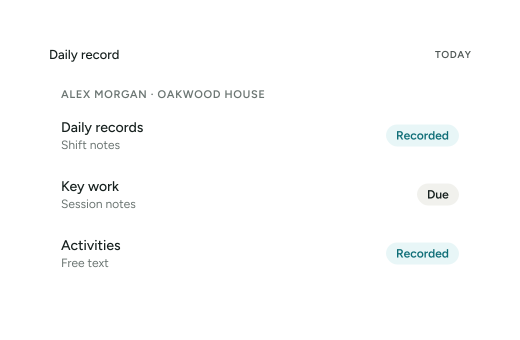
Depending on the organisation’s setup, these can include:
- Daily records
- Key work
- Activities
- Appointments
- Health information
- Education
- Incidents
- Safeguarding
- Missing from home
- Risk information
- Tasks and actions
- Custom records
Required records can also be scheduled so teams can see what needs completing and managers can identify outstanding work.
Your home. Your records. Your workflows.
No two children’s homes operate in exactly the same way.
YourClouds allows organisations to configure forms and workflows around their own policies, procedures and model of care instead of forcing every provider into exactly the same recording structure.
 Custom forms
- Custom risk assessments
- Required fields
- Scheduled records
- Recurring records
- Approval processes
- Signatures
- Tasks
- Role-based permissions
- Management reviews
- Audit history
As your organisation develops, your digital processes can develop with it.
Designed to support Ofsted-regulated children’s homes
YourClouds helps children’s homes maintain organised, accessible records and management information as part of everyday practice.
The platform can support record keeping and oversight across areas relevant to the Children’s Homes (England) Regulations 2015 and the Children’s Homes Quality Standards.
This can include information relating to:
- Care planning
- Children’s case records
- Safeguarding
- Incidents
- Missing from home
- Complaints
- Risk
- Education
- Health
- Children’s views
- Recruitment
- Training
- Supervision
- Management oversight
- Regulation 44 visits
- Regulation 45 reviews
Software supports your processes. It does not replace professional judgement or make an organisation compliant simply by being used.
YourClouds provides tools to help your organisation record, organise, review and evidence its own practice.
Supporting evidence across the Children’s Homes Quality Standards
YourClouds can help homes organise records and management information relevant to the nine Quality Standards.
- Quality and Purpose of Care
- Children’s Views, Wishes and Feelings
- Education
- Enjoyment and Achievement
- Health and Well-being
- Positive Relationships
- Protection of Children
- Leadership and Management
- Care Planning
The objective is not to prepare for inspection by searching through disconnected files.
It is to maintain organised information as part of everyday operation.
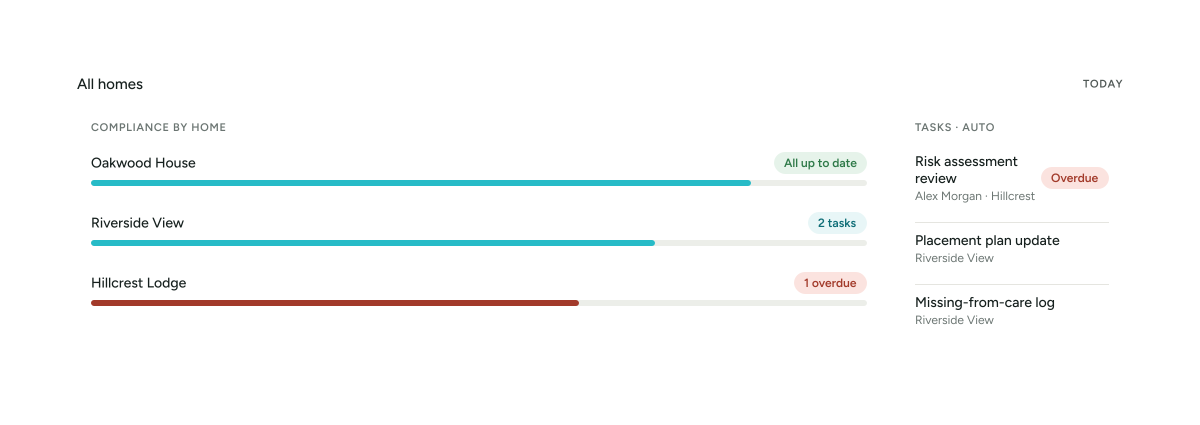
Learn more about Ofsted & ComplianceKnow what’s happening without searching through paperwork
Registered Managers need more than completed forms.
They need visibility of what requires attention.
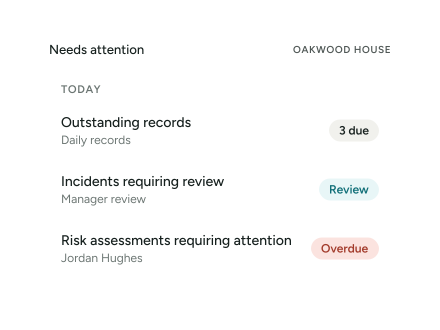
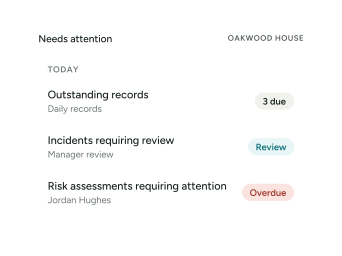
YourClouds can help authorised managers identify:
- Outstanding records
- Outstanding actions
- Incidents requiring review
- Risk assessments requiring attention
- Upcoming events
- Recruitment activity
- Operational tasks
- Records awaiting review or approval
As workforce modules are released, this view can extend further into training, staffing and rota information.
See what needs attention before it becomes a problem.
Useful on shift. Powerful for management.
- Access relevant information about the young people you support.
- Complete required records.
- View tasks and actions.
- Record significant events.
- Complete key work.
- Access relevant plans and risk information.
- Monitor outstanding records and actions.
- Review incidents.
- Maintain oversight of risk.
- Track operational requirements.
- Review recruitment activity.
- Maintain oversight of the home.
- Maintain higher-level oversight.
- Review significant events and management activity.
- Identify outstanding actions.
- Review information across the service.
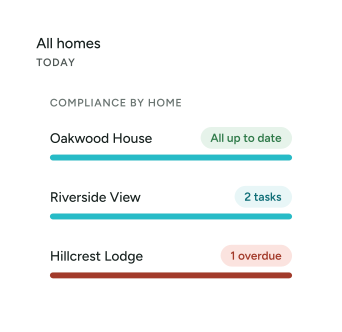
- View information across multiple services.
- Maintain organisation-level oversight.
- Compare locations.
- Monitor significant operational information.
- Identify organisation-wide trends.
One children’s home or an entire organisation
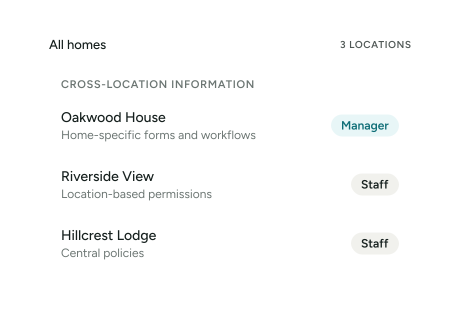
YourClouds is designed to support individual homes as well as organisations operating multiple services.
Maintain appropriate separation between locations while giving authorised managers and leaders the visibility they require.
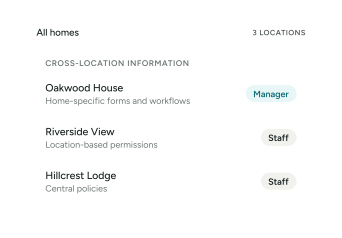
- Multiple locations
- Location-based permissions
- Organisation-wide oversight
- Shared organisational resources
- Home-specific forms and workflows
- Central policies
- Cross-location information
- Role-based access
Children’s home software shouldn’t stop at the young person’s record
The quality of a children’s home depends heavily on the people providing the care.
YourClouds is being developed to connect care operations with the wider employee journey.
 Recruitment
- Safer Recruitment
- Onboarding
 HR Coming Soon
 Training Coming Soon
 Rota Coming Soon
 Time & Attendance Coming Soon
This creates the opportunity to bring more of the organisation into one connected ecosystem instead of maintaining completely separate systems for care and workforce management.
Recruit and onboard your team through the same ecosystem
YourClouds Careers supports the candidate journey from vacancy through recruitment and onboarding.
Capabilities include:
- Job applications
- Configurable application forms
- Candidate communication
- Interview stages
- Interview scheduling
- References
- Telephone reference verification
- Employment history
- Employment-gap checking
- DBS processes
- Right to Work
- Offer documents
- Contracts
- Candidate onboarding
Organisations can manage recruitment themselves through YourClouds or use our Managed Safer Recruitment service.
MANAGED SAFER RECRUITMENT
£199 + VAT
per candidate entering managed onboarding.
DBS application fees, Right to Work verification fees and other applicable third-party charges are additional.
Explore Safer Recruitment for Children’s HomesKnow who is in your home
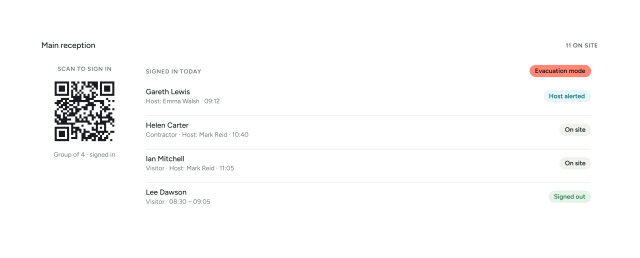
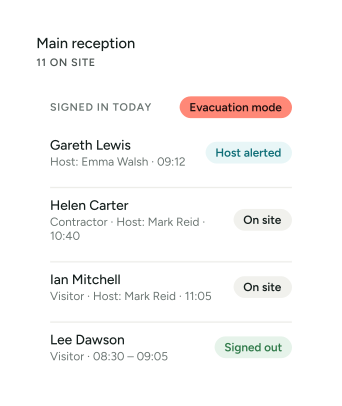
YourClouds Visitor Management provides a digital record of visitors to your service.
- QR or device sign-in
- Host notifications
- Site information and policies
- Visitor records
- Sign-out
- Emergency evacuation information
- Multi-location capability
Thinking about changing children’s home software?
Changing systems can feel difficult when your organisation already holds years of records and has established ways of working.
We work with organisations to understand their current processes and agree an appropriate implementation approach.
- Understand current processes
- Configure YourClouds
- Create or adapt forms and workflows
- Configure permissions
- Agree an appropriate approach to existing information
- Prepare managers and staff
- Training
- Go live
- Ongoing support
Why choose YourClouds for your children’s home?
Because children’s homes need more than a digital filing cabinet.
YourClouds is being built around the wider operation of the service.
ONE CONNECTED PLATFORM
- THE YOUNG PERSON
- CARE
- SAFEGUARDING
- COMPLIANCE
- THE TEAM
- RECRUITMENT
- THE HOME
- MANAGEMENT
Children’s Home Software FAQs
What is children’s home software?
Children’s home software is specialist software used to help residential children’s homes manage information and operational processes. Depending on the system, this can include young people’s records, care planning, daily recording, incidents, risk assessments, safeguarding, management oversight and wider operational functions.
Can children’s home records be kept electronically?
Children’s homes can use electronic systems for many records, provided the organisation meets applicable legal, regulatory, data-protection, security and record-keeping requirements. The provider remains responsible for ensuring its records and processes meet its obligations.
Does YourClouds help with Ofsted inspections?
YourClouds is designed to help children’s homes maintain organised records and management information during normal operation. This can make relevant evidence easier to locate and review. YourClouds is not “Ofsted approved”, and using software does not itself guarantee compliance or an inspection outcome.
Can YourClouds manage multiple children’s homes?
Yes. YourClouds is designed to support organisations operating multiple locations with appropriate permissions and management oversight.
Can we create our own forms?
Yes. Configurable forms and workflows are a core part of YourClouds, allowing organisations to create records around their own operational requirements.
Can YourClouds manage risk assessments?
Yes. Organisations can create and manage configurable risk assessments and connect risk information with the wider records held within YourClouds.
Can staff record incidents?
Yes. Incident records can be configured around the organisation’s requirements and form part of the wider young-person record and management-review process.
Does YourClouds include safer recruitment?
Yes. YourClouds Careers supports recruitment and candidate onboarding, and organisations can also use our Managed Safer Recruitment service.
Can we move from another children’s home software system?
We can review your current system, records and processes and agree an appropriate implementation approach. The options for transferring existing information depend on the format, quality and accessibility of the data held in your current system.
See how YourClouds could work in your children’s home
Whether you’re opening your first home, replacing an existing system or looking for better oversight across multiple services, we’ll show you YourClouds around the way your organisation actually works.