

Skip to content

Right to Work Checks & Verification

Stop managing Right to Work as a separate recruitment task.

Manage Right to Work checks as part of one connected safer-recruitment and onboarding journey.

Every candidate you employ needs the appropriate Right to Work process completed before employment begins.

But different candidates may require different routes.

Some candidates may be eligible for an online check. Some may provide a share code. Some may require a different verification process. Information may be missing. Documents may need checking. Further action may be required.

And your recruitment team needs to know:

Has the appropriate check been completed? Is anything outstanding? Does anything require review? Is a follow-up check required?

YourClouds helps manage the Right to Work workflow around every candidate.

Identify the route.

Progress the check.

Record the outcome.

Flag exceptions.

Manage follow-ups.

Right to Work requirements depend on the individual’s circumstances and applicable Home Office requirements. Where third-party verification services are used, applicable charges are additional to the YourClouds managed onboarding fee.

01The problem

Right to Work Shouldn’t Sit Outside Your Recruitment System

A candidate completes your recruitment process. You decide to progress them. Their references are underway. Their DBS process has started. Their employment history has been reviewed.

Then someone sends an email:

“Please send us your Right to Work documents.”

The candidate replies. Someone reviews the information. Something is missing. Another email is sent. The candidate provides a share code. Someone completes the check. A record is downloaded. Someone saves it somewhere.

A manager asks:

“Can this person start?”

And your recruitment team has to check several different systems to answer.

YourClouds is designed to bring the process together.

One Connected Right to Work Workflow

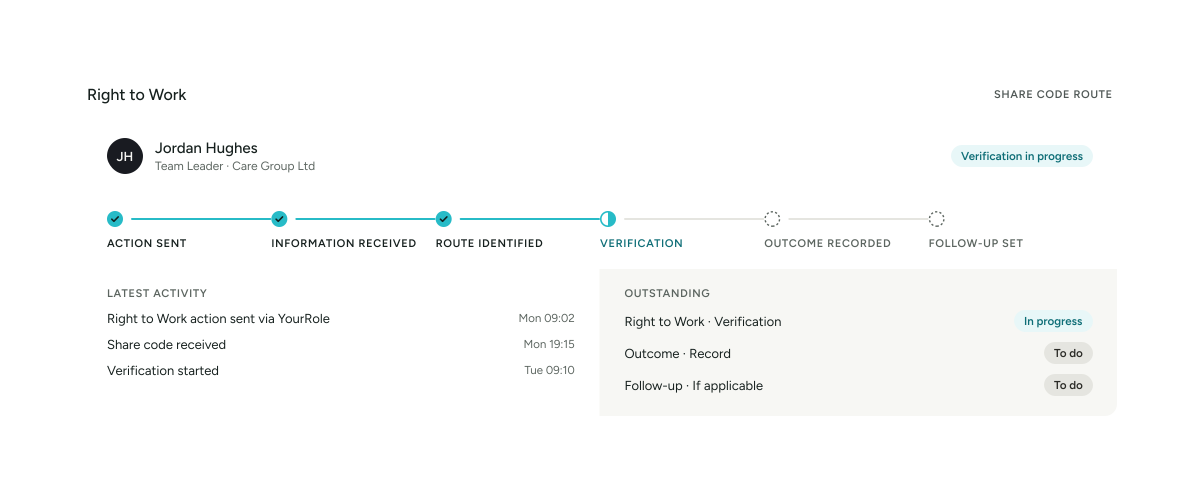
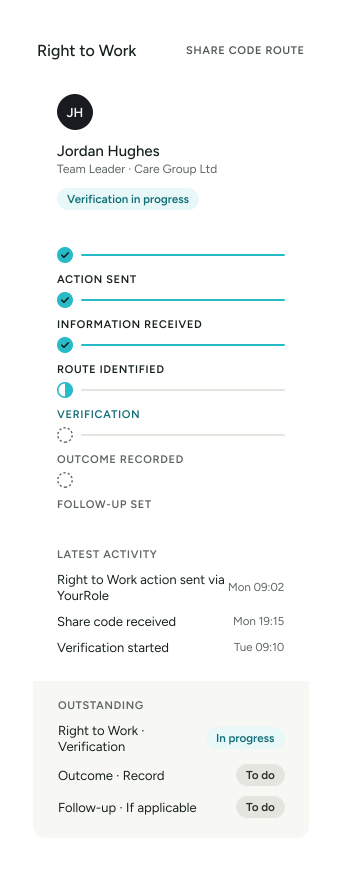
A configured workflow could look like:

  1. Candidate Selected
  2. Candidate Enters Onboarding
  3. Right to Work Action Triggered
  4. Candidate Provides Required Information
  5. Appropriate Verification Route
  6. Check Completed
  7. Evidence / Outcome Recorded
  8. Exception if Required
  9. Follow-Up Requirement if Applicable
  10. Onboarding Continues

The Right to Work process becomes part of the candidate’s wider recruitment journey.

Right to Work + Safer Recruitment

YourClouds can connect Right to Work with:

  1. Application
  2. Interview
  3. Candidate Selected
  4. Employment History
  5. Employment Gap Checks
  6. References
  7. Telephone Verification
  8. DBS
  9. RIGHT TO WORK
  10. Contract
  11. Onboarding
  12. HR – Coming Soon

One candidate. One recruitment journey. One clearer view of what’s outstanding.

02How it works

  1. 1

    Candidate Enters Managed Onboarding

    Once you’ve selected the candidate and decide to progress them into onboarding, the relevant pre-employment workflows can begin.

    YourClouds can already know:

    Who the candidate is. Which role they’ve applied for. Which organisation is employing them. Which location they’re joining. Which recruitment workflow they’re following.

    The Right to Work process can then become another structured part of that onboarding journey.

  2. 2

    Candidate Receives Their Right to Work Action

    Candidates can receive onboarding actions through the YourRole app or desktop candidate portal.

    For example:

    ACTION REQUIRED

    Complete your Right to Work information

    The candidate is guided through the configured process and asked for the information required for the appropriate workflow.

    This reduces reliance on unstructured email exchanges.

  3. 3

    Determine the Appropriate Verification Route

    Not every candidate necessarily follows the same Right to Work process.

    Depending on their circumstances and the applicable requirements, the process may involve different routes.

    YourClouds can use configurable workflows to guide candidates and recruitment teams through the appropriate process.

    The system helps manage the workflow.

    It doesn’t replace the employer’s legal responsibility to carry out the appropriate Right to Work check.

  4. 4

    Online Right to Work Checks

    Where the Home Office online Right to Work service is the appropriate route, the workflow can guide the candidate and authorised recruitment user through the required process.

    Relevant information can be associated with the candidate’s onboarding record.

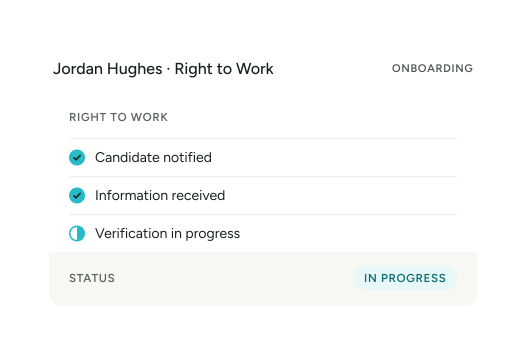
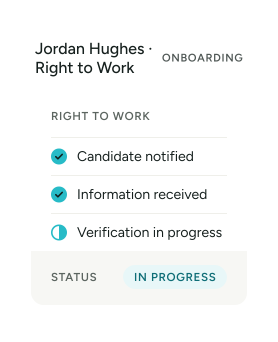
    The workflow can then show whether the Right to Work stage is:

    Action Required

    In Progress

    Complete

    or

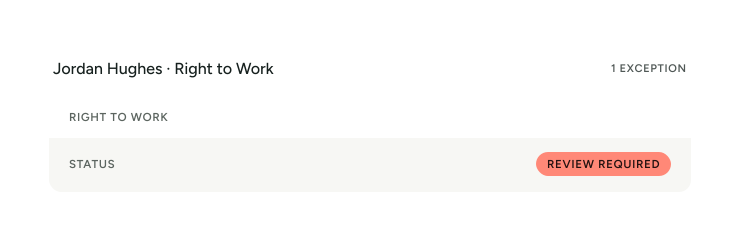
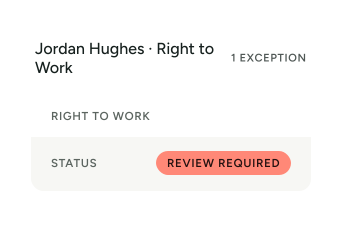
    Review Required

  5. 5

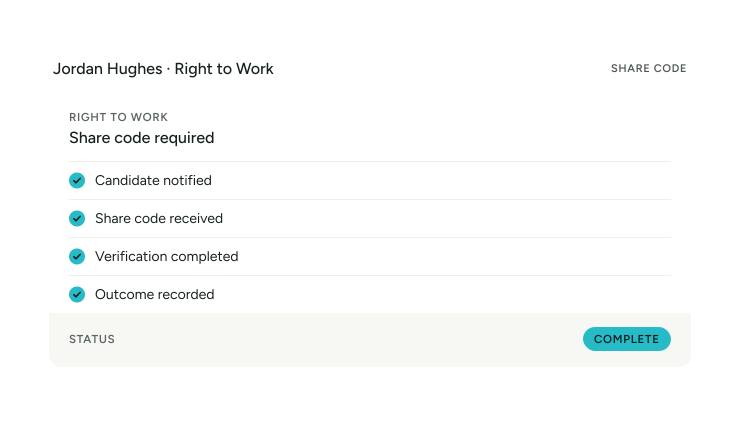
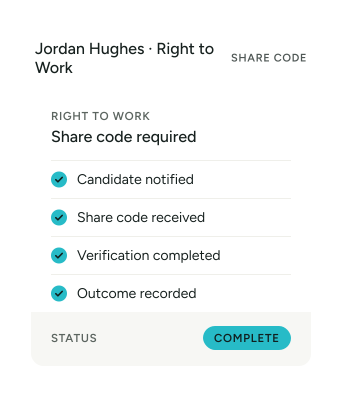
    Share Code Workflow

    Where a candidate needs to provide a share code, YourClouds can request the relevant information as part of their onboarding journey.

    For example:

    Instead of somebody manually remembering to ask for the share code, the workflow manages the action.

  6. 6

    Alternative Right to Work Routes

    Where the online share-code process isn’t the applicable route, a different configured workflow can be followed.

    The appropriate process depends on the candidate’s circumstances and current Home Office requirements.

    YourClouds can support the workflow and record the appropriate outcome without assuming that every candidate should be processed in exactly the same way.

  7. 7

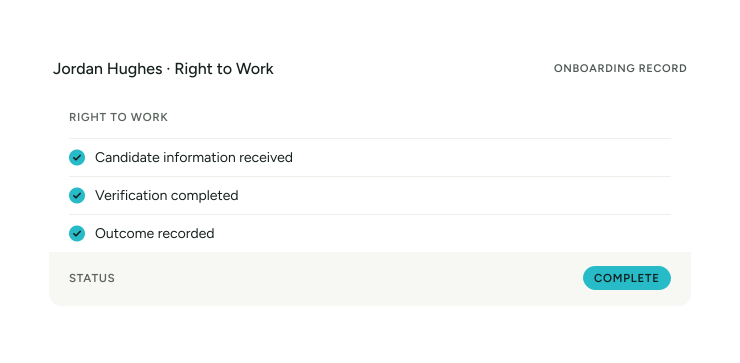
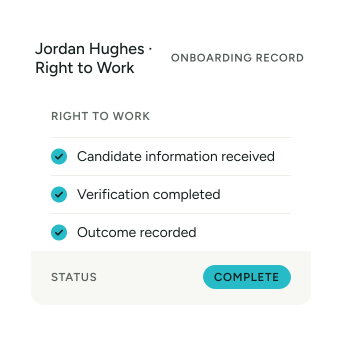
    Record the Outcome

    Once the appropriate Right to Work process has been completed, the relevant outcome can form part of the candidate’s onboarding record.

    The recruitment team can see that the stage has progressed without having to search through emails or separate spreadsheets.

    For example:

  8. 8

    Identify Exceptions

    Not every check will progress without an issue.

    For example:

    The workflow can surface the candidate for attention rather than allowing the issue to remain hidden within an email chain.

    The authorised person can then review the relevant information and determine the appropriate next action.

  9. 9

    Manage Time-Limited Right to Work

    Onboarding isn’t always the end of the process.

    Some employees may have a time-limited Right to Work.

    That creates another administrative requirement.

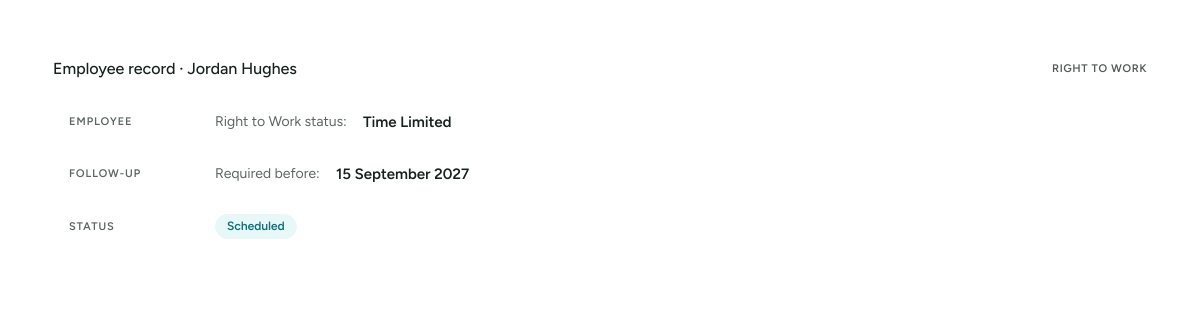
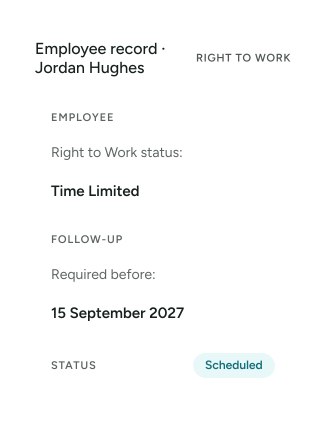
    The organisation may need to carry out an appropriate follow-up check before the existing permission expires.

    YourClouds can help record relevant follow-up requirements within the employee journey.

    Instead of relying on somebody remembering months or years later, the process can become a managed workflow.

Right to Work Follow-Up Checks

Where a follow-up check is required, YourClouds can help manage the future action.

For example:

As the relevant date approaches, the system can generate the required workflow and notifications according to the organisation’s configuration.

Don’t Discover Expiring Right to Work Too Late

For organisations employing hundreds or thousands of people, manually tracking future Right to Work actions can become difficult.

Instead of maintaining a spreadsheet containing:

Right to Work tracker

  • File
  • Edit
  • View
  • Records
  • Help
Employee.Expiry date.Manager.Reminder date.Status.

YourClouds can connect the follow-up requirement to the employee’s record.

Candidate Right to Work

becomes

Employee Right to Work Monitoring

The recruitment process doesn’t have to lose the information once the person becomes an employee.

Candidate Notifications

Candidates can receive notifications when action is required.

For example:

ACTION REQUIRED

Complete your Right to Work information.

REMINDER

Your Right to Work action remains outstanding.

UPDATE

Your Right to Work stage has progressed.

The objective is to reduce the amount of manual chasing required from your recruitment team.

Automated Chasing

A traditional ATS might tell you:

Candidate Records

  • File
  • Edit
  • View
  • Records
  • Help
  • Right to Work — Outstanding

Your recruitment team still has to solve the problem.

YourClouds is designed to go further.

  1. Action identified
  2. Candidate notified
  3. No response
  4. Automated reminder
  5. Further reminder
  6. Escalation if required

Instead of simply recording that something hasn’t happened, the workflow helps progress it.

03In YourClouds

AI-Assisted Right to Work Administration

AI can help with appropriate administrative parts of the onboarding workflow.

Depending on your configured process, AI can help:

  • Identify outstanding actions
  • Communicate with candidates
  • Answer appropriate process questions
  • Send reminders
  • Monitor workflow progress
  • Identify missing information
  • Summarise candidate status
  • Escalate exceptions

AI isn’t there to make immigration decisions or decide whether somebody has a legal Right to Work.

AI helps manage the administration. The appropriate verification process determines the outcome. Your organisation remains responsible for its legal obligations.

YourRole

Candidate App: YourRole

Candidates can manage their onboarding through the YourRole app.

Their outstanding actions could look like:

Instead of searching through emails, candidates can see what’s outstanding.

YourRole app onboarding overview at 83% complete with Right to Work still to complete

One Dashboard for Your Recruitment Team

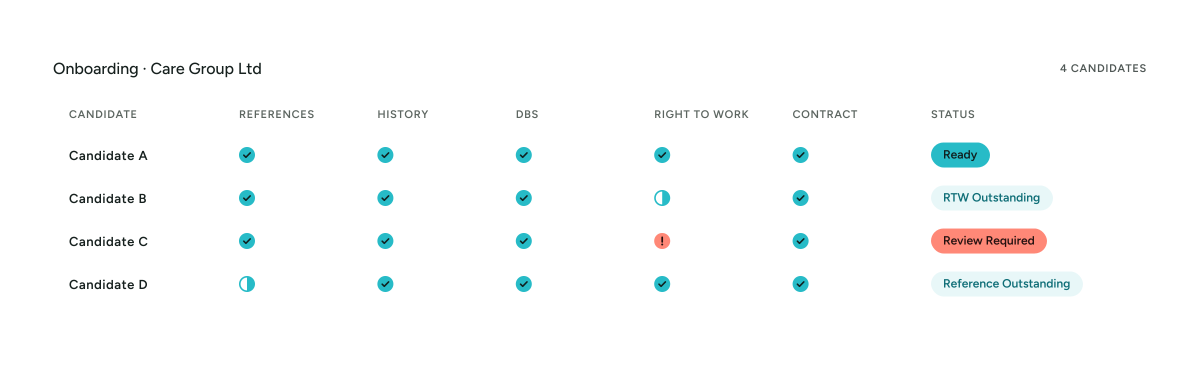
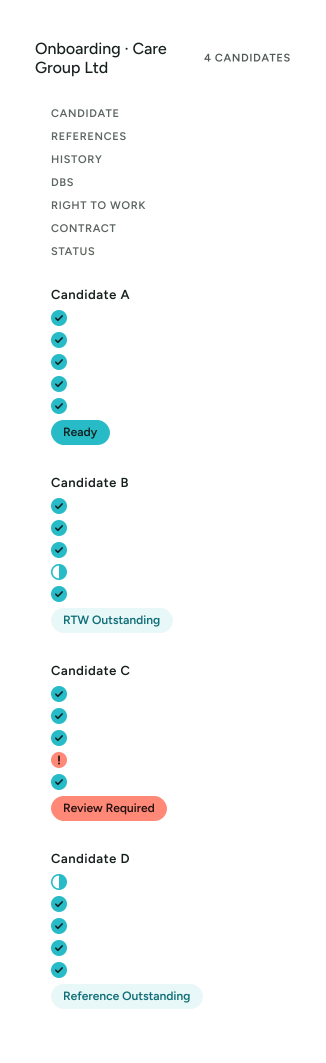
Your recruitment team can see Right to Work alongside other onboarding stages.

Instead of opening every candidate record, recruitment teams can concentrate on what’s holding somebody up.

Ready to Start?

This can create a powerful onboarding status.

That distinction matters.

The system shouldn’t simply say a candidate is “complete” because most tasks are finished.

It should make outstanding actions visible.

Right to Work by Sector

Kitchen and dining area in a children’s home

Right to Work for Children’s Homes

Children’s home providers can incorporate Right to Work verification into the same safer-recruitment journey as:

  • Application
  • Employment history
  • Employment gaps
  • References
  • Telephone verification
  • DBS
  • Contracts
  • Onboarding
  • HR – Coming Soon

This helps reduce fragmented recruitment administration.

Explore Safer Recruitment for Children’s Homes


Lounge with armchairs in a care home

Right to Work for Adult Social Care

High-volume recruitment makes administrative efficiency particularly important in adult social care.

YourClouds can help manage Right to Work workflows across:

  • Care homes
  • Nursing homes
  • Domiciliary care
  • Supported living
  • Mental health services
  • Learning disability services
  • Community care
  • Multi-site care groups
Explore Safer Recruitment for Adult Social Care
Primary school classroom with tables and chairs

Right to Work for Schools & Education

Schools, academies and Multi-Academy Trusts can incorporate Right to Work into their wider safer-recruitment workflow.

This helps create a more consistent onboarding process across multiple schools and different employee groups.

Explore Safer Recruitment for Schools & Education
Clinical treatment room with an examination couch

Right to Work for Healthcare

Healthcare organisations can manage Right to Work alongside other pre-employment workflows across:

  • Clinical staff
  • Nursing
  • Healthcare assistants
  • Support workers
  • Management
  • Administration
  • Operational staff
  • Other healthcare positions

Central recruitment teams can maintain visibility across multiple services and locations.

Explore Safer Recruitment for Healthcare

Multi-Site Right to Work Management

Large organisations may have:

  • One central recruitment team
  • 20 locations
  • 100 hiring managers
  • Thousands of employees

Without a consistent workflow, Right to Work information can quickly become fragmented.

YourClouds can provide central oversight while allowing appropriately authorised local users to see the information relevant to them.

Role-Based Permissions

Right to Work information should only be available to appropriate users.

YourClouds can use configurable permissions to control access.

For example:

Recruitment Administrator

Manages candidate workflow.

Hiring Manager

Sees appropriate onboarding status.

HR

Manages relevant employee information.

Authorised Reviewer

Reviews exceptions.

Not every user needs access to every document or piece of candidate information.

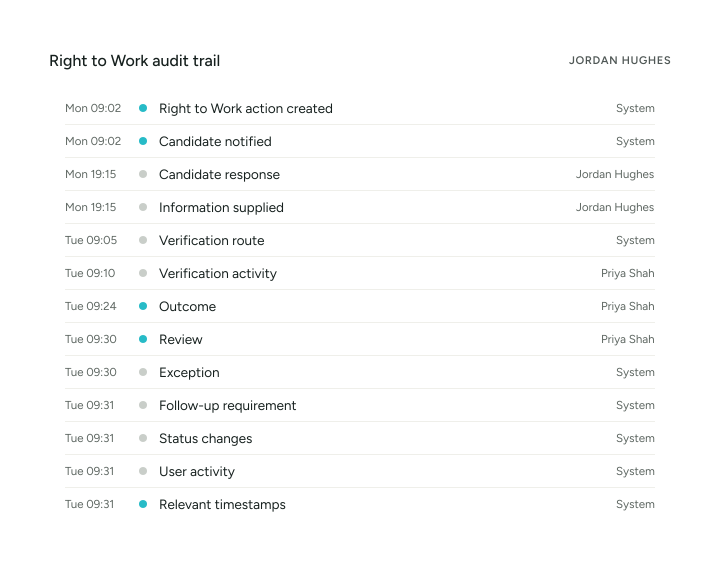
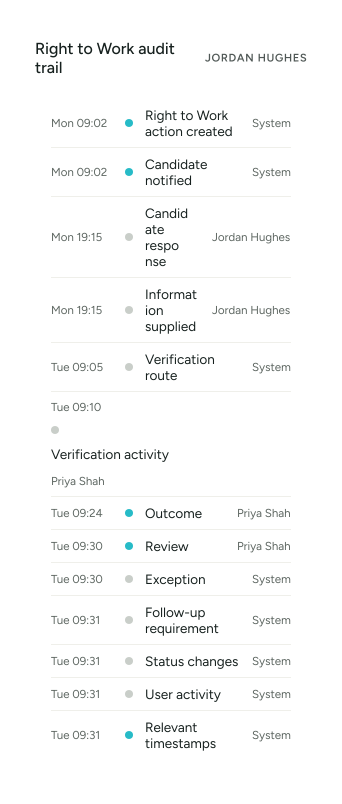
Complete Audit Trail

Depending on the configured workflow, YourClouds can maintain relevant records of:

This provides a clearer record of what happened throughout the process.

Right to Work Doesn’t End at Recruitment

One of the biggest opportunities for YourClouds is connecting recruitment with HR.

When the candidate becomes an employee, relevant information doesn’t need to disappear into an archived recruitment file.

Where a future Right to Work action is required, that requirement can continue into the employee record.

  1. Applicant
  2. Candidate
  3. Onboarding
  4. Employee

One connected journey.

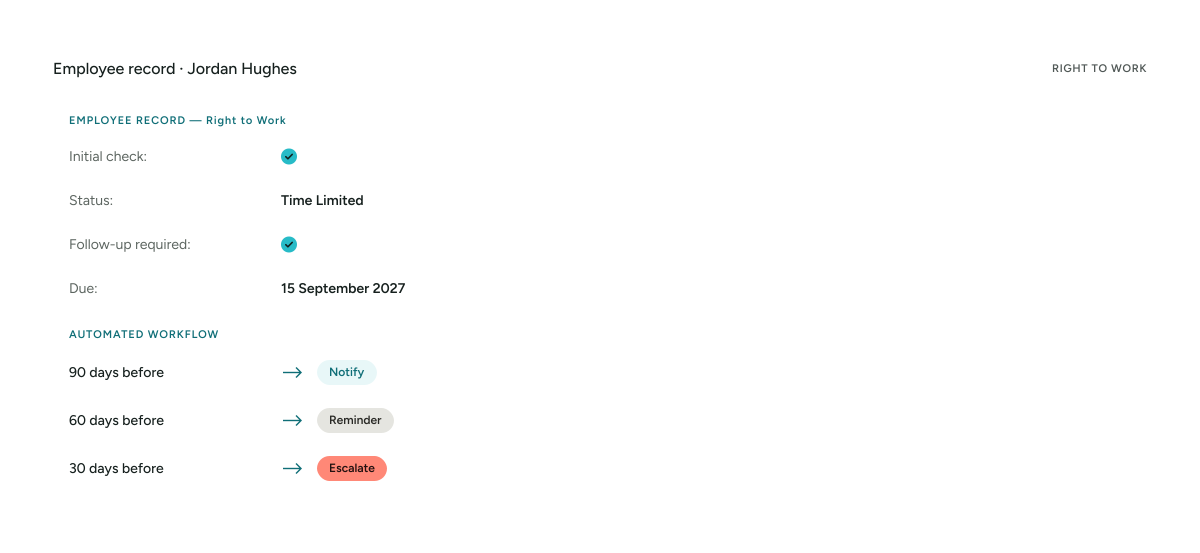
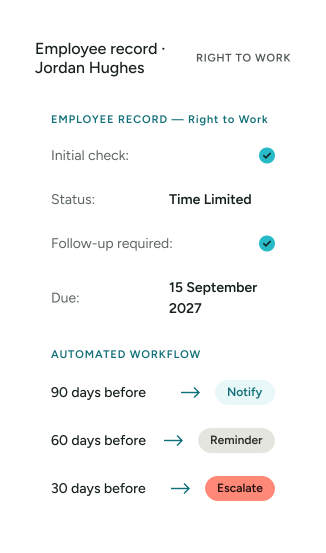
Future Checks Become HR Actions

For example:

Appropriate schedules should be configured around current legal requirements and organisational policy.

This can turn a future compliance obligation into a managed process rather than a spreadsheet reminder.

Right to Work Is Only One Part of Onboarding

A completed Right to Work check doesn’t necessarily mean the candidate is ready.

They may still have:

  • Reference outstanding
  • Employment gap requiring review
  • DBS in progress
  • Contract unsigned
  • Qualification check outstanding
  • Professional registration outstanding

That’s why YourClouds doesn’t treat Right to Work as an isolated check.

It forms part of the complete onboarding status.

04Pricing

Managed Safer Recruitment & Onboarding

YourClouds can help manage the complete onboarding journey for:

£199 + VAT

per candidate entering onboarding

£199 + VAT isn’t the price of a Right to Work check. It’s the managed onboarding service around the candidate — Right to Work is one component of a much larger service.

The managed service can include:

  • Employment-history checking
  • Employment-gap identification
  • Candidate follow-up
  • Reference requests
  • Automated reference chasing
  • Telephone reference verification
  • AI-assisted discrepancy identification
  • DBS workflow management
  • Right to Work workflow management
  • Offers and contracts
  • Digital signatures
  • Candidate communications
  • Automated reminders
  • AI-assisted administration
  • Exception escalation
  • Structured recruitment records

Additional Charges

DBS application fees, Right to Work verification fees and other applicable third-party charges are additional to the £199 + VAT managed onboarding fee.

What Does Your Current Process Cost?

Think about the administrative steps.

Ask the candidate for information. Wait. Send a reminder. Receive information. Determine the appropriate process. Complete the relevant check. Save the evidence. Update the candidate record. Tell the hiring manager. Record any follow-up requirement.

Then repeat for every candidate.

Now add:

Reference chasing. Employment-history checking. Employment-gap checking. DBS management. Contracts. Candidate communications.

YourClouds brings these processes together.

Don’t Just Record Outstanding Tasks.

Help Get Them Completed.

That’s the wider YourClouds philosophy.

A traditional system might tell you:

Candidate Records

  • File
  • Edit
  • View
  • Records
  • Help
  • RIGHT TO WORK OUTSTANDING

Your team has to work out what to do.

YourClouds can instead manage:

The difference is moving from a recording system towards a workflow that actively progresses recruitment.

Why Use YourClouds for Right to Work Management?

  • Connected Recruitment

    Right to Work becomes part of the complete candidate journey.

  • Candidate App

    Candidates can manage actions through YourRole.

  • Configurable Workflows

    Different candidate circumstances can follow appropriate workflows.

  • Automated Chasing

    Help reduce manual candidate reminders.

  • AI-Assisted Administration

    Use AI to help manage routine workflow activity.

  • Exception Management

    Surface candidates requiring additional attention.

  • Follow-Up Management

    Record and manage future checks where applicable.

  • HR Integration – Coming Soon

    Carry relevant follow-up requirements from recruitment into employment.

  • Multi-Site Oversight

    Manage onboarding across multiple services and locations.

  • Role-Based Permissions

    Control access to appropriate candidate information.

  • Audit Trail

    Maintain a clearer history of the process.

  • Complete Onboarding

    Connect Right to Work with references, employment history, DBS, contracts and HR.

05Questions

Frequently Asked Questions

What is a Right to Work check?

A Right to Work check is the process an employer follows to establish a statutory excuse against liability for employing someone who does not have the right to work, where the prescribed requirements are correctly followed.

The appropriate process depends on the individual’s circumstances and current Home Office requirements.

Does every employee need a Right to Work check?

UK employers must establish the Right to Work of people they employ using an appropriate prescribed process.

The route used can differ according to the individual’s circumstances.

Can YourClouds manage Right to Work checks?

Yes.

Right to Work can be incorporated into the YourClouds recruitment and onboarding workflow.

Can candidates provide information through the YourRole app?

Yes.

Candidates can use YourRole or the desktop candidate portal to complete relevant onboarding actions.

Can YourClouds manage share-code workflows?

Where a share code is the appropriate route, the workflow can request and manage the relevant candidate action as part of onboarding.

Does every candidate use a share code?

No.

The appropriate Right to Work checking route depends on the individual’s circumstances and current requirements.

Does YourClouds decide whether somebody has the Right to Work?

No.

YourClouds helps manage the workflow around the appropriate verification process.

It does not replace the employer’s responsibility to conduct the appropriate check and comply with applicable requirements.

Can YourClouds chase candidates?

Configured workflows can send candidate notifications and reminders when actions remain outstanding.

Can AI manage Right to Work administration?

AI can assist with appropriate administrative functions such as candidate communication, reminders, workflow monitoring, identifying missing actions and escalation.

It should not independently make immigration or employment-eligibility decisions.

Can YourClouds track follow-up checks?

Where a future check is required, relevant follow-up requirements can be incorporated into the employee workflow.

Can managers see Right to Work status?

Appropriately authorised users can be given visibility of onboarding status according to configured permissions.

Can Right to Work be combined with DBS?

Yes.

Both can form part of the same candidate onboarding journey.

Can Right to Work be combined with reference checking?

Yes.

References, employment-history checking, DBS and Right to Work can all contribute to the same onboarding status.

Is Right to Work management included in the £199 + VAT service?

Management of the Right to Work workflow can form part of the £199 + VAT managed onboarding service.

Applicable third-party verification charges are additional.

When does the £199 + VAT fee become payable?

The £199 + VAT managed onboarding fee becomes payable when your organisation chooses to progress the candidate into managed onboarding.

The fee isn’t dependent on the candidate subsequently starting employment.

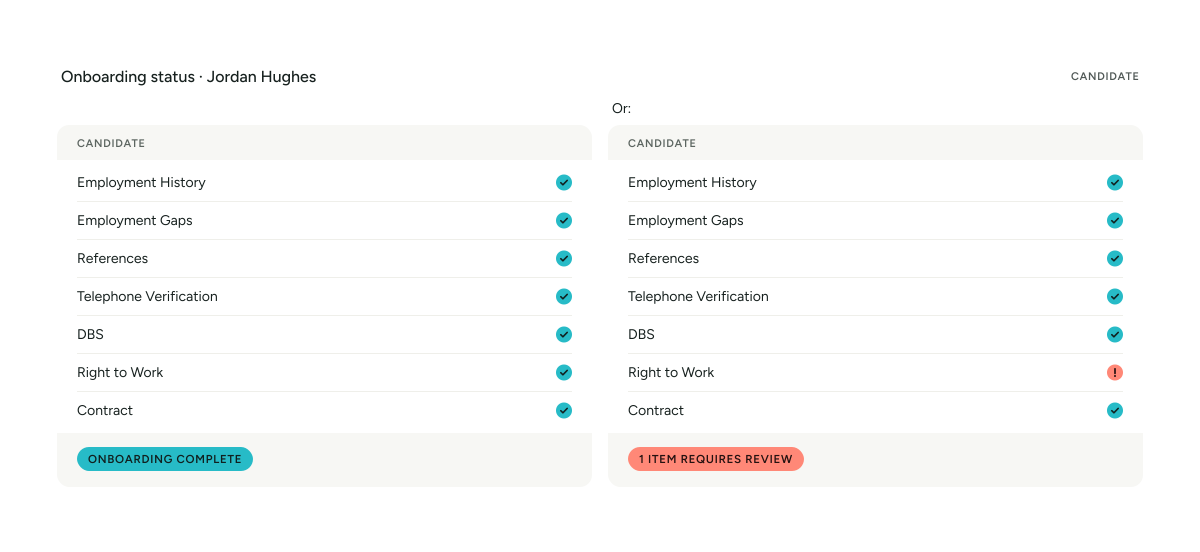
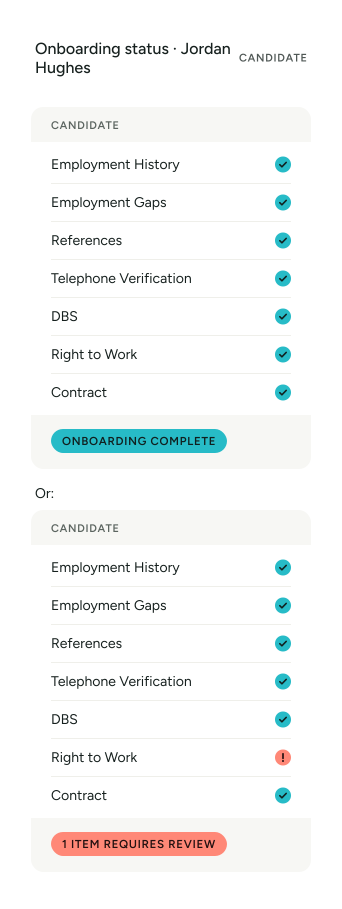
One Candidate. One Onboarding Journey.

  • Employment History
  • Employment Gaps
  • References
  • Telephone Verification
  • DBS
  • Right to Work
  • Contract

Managed Safer Recruitment & Onboarding

£199 + VAT per candidate entering onboarding

Right to Work requirements and prescribed checking processes are subject to applicable UK legislation and current Home Office guidance. YourClouds supports the administrative workflow and record-keeping process but does not replace the employer’s responsibility to complete the appropriate Right to Work check. Applicable third-party verification charges are additional.