
Safer Recruitment for Children’s Homes
You choose who to employ. We help manage the work required to get them safely onboarded.
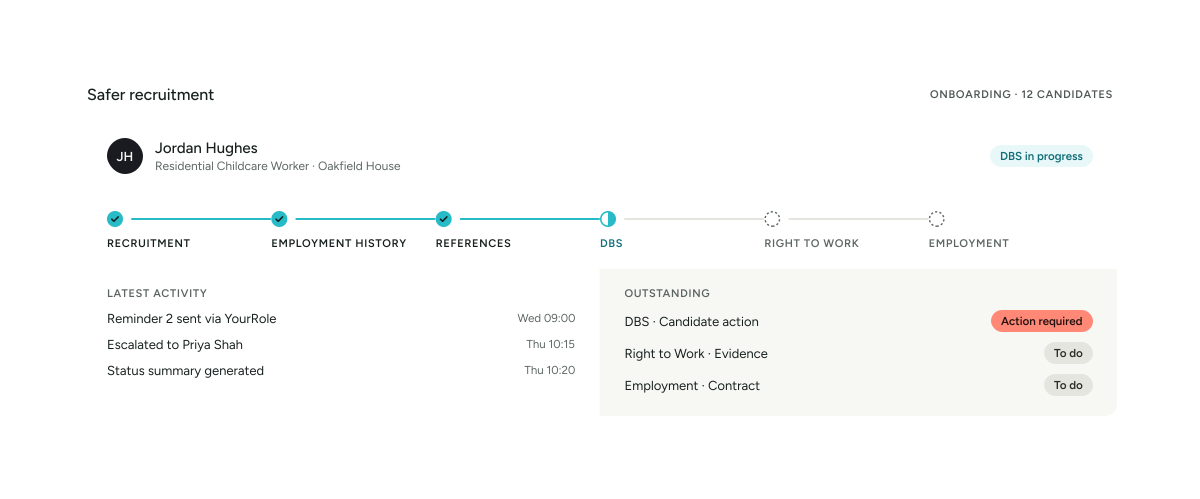
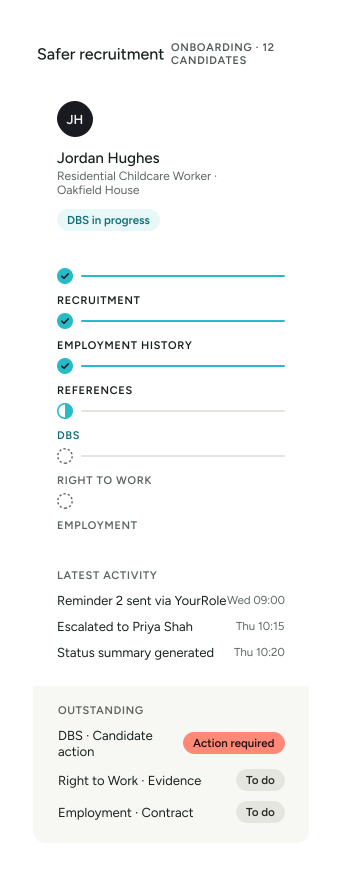
Recruiting people to work in children’s homes involves far more than advertising a vacancy and conducting an interview.
Employment histories need reviewing. Gaps need identifying. References need obtaining and verifying. DBS processes need managing. Right to Work needs completing. Contracts need signing. Candidates need chasing. And every stage needs a clear record.
YourClouds helps move the work forward.
We combine recruitment software, AI automation and managed recruitment support to help children’s home providers progress candidates from application through to onboarding.
You make the recruitment decisions. We help manage the work around them.
£199 + VAT per candidate entering managed onboarding. DBS application fees, Right to Work verification fees and other applicable third-party charges are additional.
01The problem
More Than Children’s Home Recruitment Software
Most recruitment systems give you somewhere to record recruitment activity.
YourClouds is designed to go further.
A traditional system might tell you:
- Reference 2 — Outstanding
- DBS — Outstanding
- Right to Work — Outstanding
- Employment Gap — Review Required
That’s useful.
But somebody still has to do the work.
Someone has to chase the referee. Someone has to contact the candidate. Someone has to investigate the employment gap. Someone has to progress the DBS workflow. Someone has to obtain the Right to Work information. Someone has to chase the unsigned contract.
YourClouds combines software, AI and managed support to help progress the recruitment process.
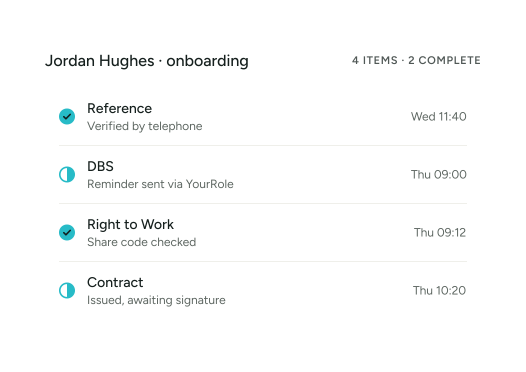
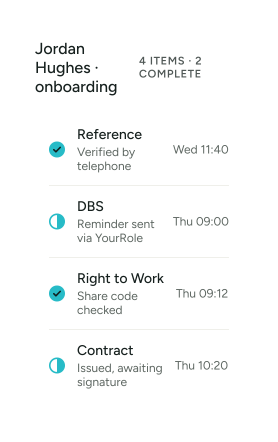
Don’t just record what’s outstanding. Help get it completed.
One Safer Recruitment Journey
YourClouds can help manage the candidate journey from vacancy through to employment.
- Advertise
- Apply
- Assess
- Interview
- Select
- Managed Onboarding
- Employment History
- Gap Checks
- References
- Telephone Verification
- DBS
- Right to Work
- Contract
- Onboarding Complete
- HR – Coming Soon
One candidate. One connected recruitment journey.
02How it works
1
Advertise Your Vacancies
YourClouds can help you publish children’s home vacancies directly from your recruitment system.
Vacancies can be displayed through a link or API integrated with your organisation’s website.

Support Worker
Team Leader
You can also share individual vacancy links through:
- Social media
- Recruitment campaigns
- Other digital channels
Candidates can move directly from the vacancy into your recruitment process.
2
Give Candidates a Better Recruitment Experience
Candidates can manage their recruitment journey using the YourRole app or desktop candidate portal.
They can:
- View recruitment actions
- Complete application forms
- Receive notifications
- Respond to messages
- Provide employment history
- Provide referee information
- Complete onboarding actions
- Respond to employment-gap questions
- Upload required information
- Access documents
- Sign contracts
- Monitor their progress
This gives candidates one place to manage their journey.
3
Create the Application Process You Need
Children’s home recruitment isn’t always suited to a generic application form.
YourClouds allows organisations to use standard application processes or configure their own.
Application forms can capture information relevant to the role and your safer-recruitment process.
Different roles can also follow different recruitment journeys.
For example:
Residential Childcare Worker
- Application
- Interview
- Managed Onboarding
Deputy Manager
- Application
- Initial Interview
- Second Interview
- Managed Onboarding
Registered Manager
- Application
- Application Review
- First Interview
- Senior Interview
- Managed Onboarding
Your organisation controls the process.
4
Manage Multiple Recruitment Stages
YourClouds can support one or multiple:
- Application stages
- Assessments
- Interviews
- Approvals
- Recruitment decisions
This allows children’s home providers to create workflows appropriate to different positions.
5
Automatically Schedule Interviews
Interview scheduling shouldn’t require endless emails between candidates and managers.
Interviewers can provide their availability.
Candidates can then be guided towards available interview times.
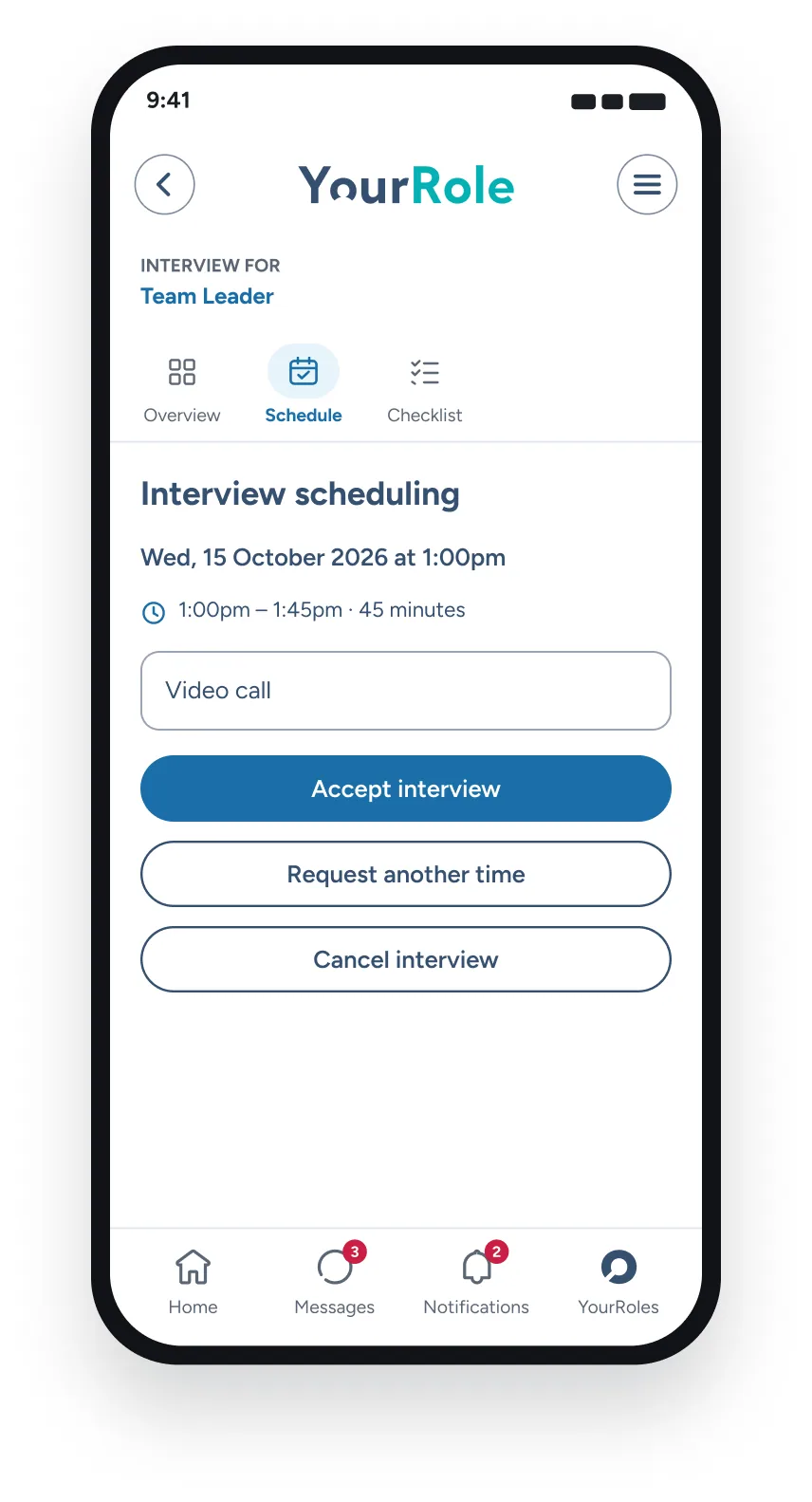
Interviews can be:
In Person or Online
using the built-in video interview functionality.
This can reduce recruitment administration while making it easier for candidates to progress.
6
Select the Candidate
Your organisation makes the hiring decision.
Once you decide:
“We want to progress this candidate.”
the candidate can enter the YourClouds Managed Onboarding process.
This is the point at which the £199 + VAT managed onboarding fee becomes payable.
You don’t pay £199 + VAT simply because someone applies. You don’t pay £199 + VAT simply because someone is interviewed.
£199 + VAT is charged when you choose to progress the candidate into managed onboarding.
7
Managed Onboarding Begins
Once the candidate enters managed onboarding, YourClouds can help coordinate the pre-employment process.
This can include:
- Employment-history checking
- Employment-gap identification
- Candidate follow-up
- Reference requests
- Reference chasing
- Telephone reference verification
- AI-assisted discrepancy identification
- DBS workflow management
- Right to Work workflow management
- Offer and contract management
- Candidate communications
- Automated reminders
- Exception escalation
- Recruitment record
8
Build the Candidate’s Employment History
A candidate’s employment history shouldn’t simply sit as text inside an application form.
YourClouds can help structure the candidate’s history chronologically.
For example:
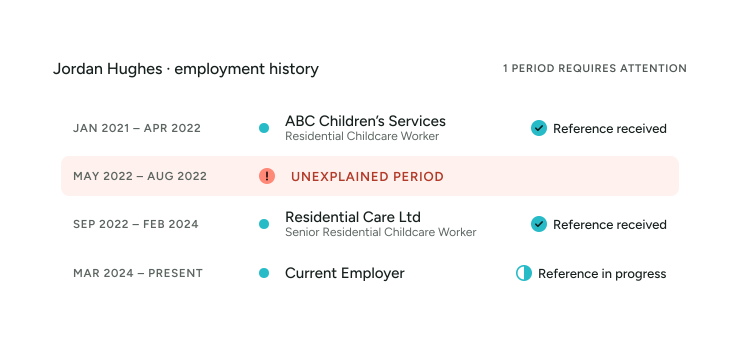
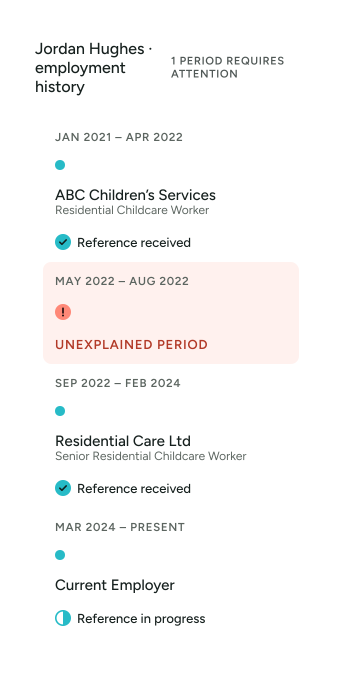
This makes gaps and inconsistencies easier to identify.
9
Identify Employment Gaps
Where the candidate’s chronology contains an unexplained period, YourClouds can help identify it.
For example:
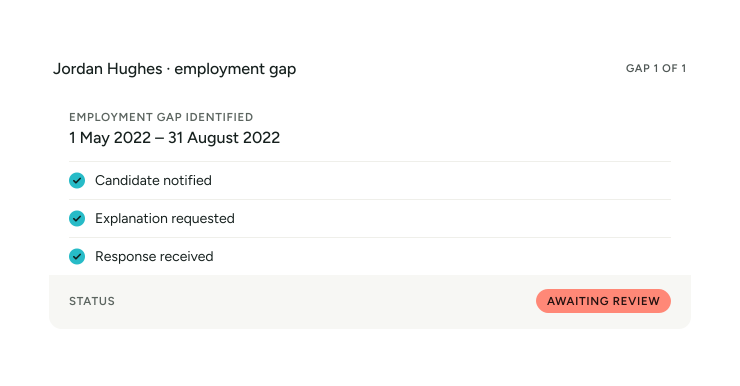
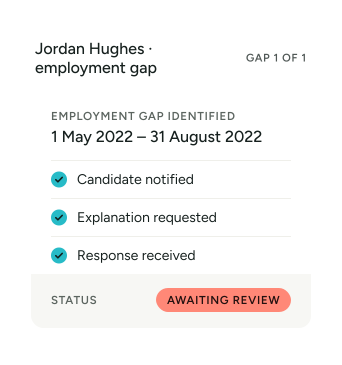
Instead of simply identifying a problem, the workflow helps progress it.
Explore Employment History Verification & Gap Checking10
Obtain References
Reference checking can create significant administrative work for children’s home recruitment teams.
YourClouds can send digital reference requests to the candidate’s referees.
The recruitment record can show:
- Referee
- Request date
- Response status
- Reminder activity
- Reference received
- Verification status
- Outstanding actions
11
Chase Outstanding References
A reference request isn’t useful if nobody responds.
YourClouds can help manage the follow-up process.
- Reference Requested
- No Response
- Automated Reminder
- Further Follow-Up
- Telephone Contact Where Appropriate
- Escalation Where Required
The aim is to reduce the amount of time your managers and recruitment team spend manually chasing routine references.
12
Telephone Reference Verification
Where telephone verification forms part of the configured recruitment process, YourClouds can help manage it.
Telephone verification can use:
AI-Powered Calling
An AI telephone agent can follow a configured verification process and capture relevant responses.
Human Verification
A person can undertake telephone verification where appropriate.
AI + Human Escalation
Routine verification can be supported by AI with cases escalated for human involvement where necessary.
Questions can be configured around your organisation’s requirements.
They may include appropriate questions about:
- Employment dates
- Position held
- Referee identity
- Referee position
- Reason for leaving
- Re-employment
- Relevant safeguarding information
- Other role-specific information
13
Compare the Reference With the Application
Receiving a reference is only part of the process.
The information also needs to be considered against what the candidate originally told you.
For example:
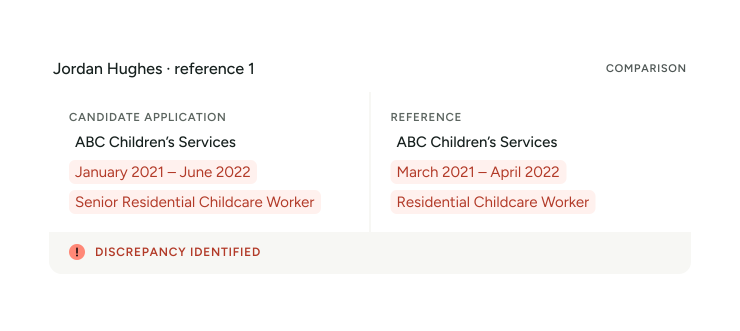
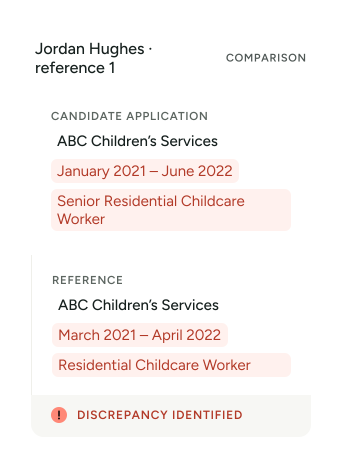
Potential differences can be highlighted for review.
YourClouds helps identify the issue. Your organisation decides what it means.
14
Recheck the Employment Timeline
Information obtained through references may change the candidate’s employment chronology.
If a candidate states that employment ended in June but the employer confirms April, that may create an additional period requiring explanation.
YourClouds can connect reference information with employment-history checking rather than treating them as two unrelated processes.
15
Manage the DBS Workflow
For roles eligible for the relevant DBS check, YourClouds can help manage the DBS workflow as part of onboarding.
Depending on the circumstances and configured process, this can include:
- Existing DBS information
- DBS Update Service workflow
- New DBS application workflow
- Candidate actions
- Progress monitoring
- Reminders
- Exceptions
- Relevant recruitment records
Your organisation remains responsible for ensuring that the appropriate level and type of DBS check is requested for the role.
DBS application fees and applicable third-party charges are additional.
Explore DBS Checks & Management16
Manage Right to Work
Right to Work can be managed as another part of the candidate’s onboarding journey.
Depending on the candidate’s circumstances and current requirements, the appropriate verification route can be followed.
The workflow can help manage:
- Candidate actions
- Required information
- Verification progress
- Outcome
- Exceptions
- Relevant evidence
- Future follow-up requirements where applicable
Applicable third-party verification charges are additional.
Explore Right to Work Checks & Verification17
Issue Offers and Contracts
Offer letters and contracts can be incorporated into the digital candidate journey.
Documents can be:
- Issued
- Viewed
- Signed digitally
- Witnessed where required by the configured process
- Recorded against the candidate
This helps keep recruitment documentation together.
18
Keep the Candidate Informed
Candidates shouldn’t need to repeatedly contact your recruitment team asking:
“What’s happening with my application?”
The YourRole app and candidate portal can provide notifications and outstanding actions throughout the journey.
For example:
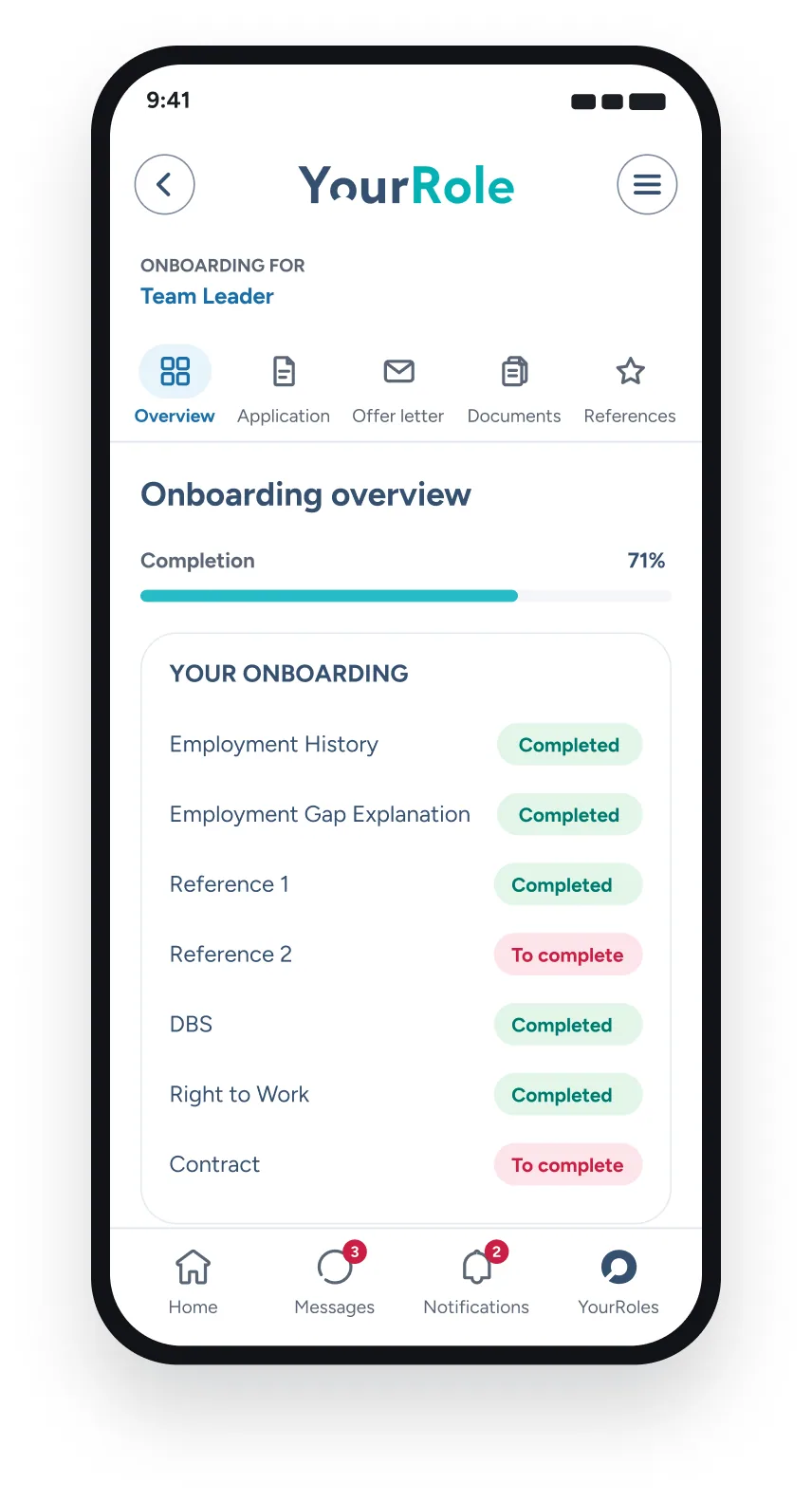
The candidate can see what they need to do.
03In YourClouds
AI-Assisted Safer Recruitment
AI can help remove repetitive administration from children’s home recruitment.
Depending on the configured workflow, AI can help:
- Communicate with candidates
- Chase outstanding actions
- Chase references
- Make telephone calls
- Compare information
- Identify potential discrepancies
- Identify gaps
- Monitor progress
- Summarise candidate status
- Escalate exceptions
But there is an important distinction.
AI assists the recruitment process. It doesn’t replace recruitment judgement.
Your organisation remains responsible for assessing information and deciding whether a candidate is suitable to progress.
Manage by Exception
Imagine you’re onboarding 30 candidates.
A traditional system gives your recruitment team 30 candidate records to monitor.
YourClouds is designed to move towards something different:
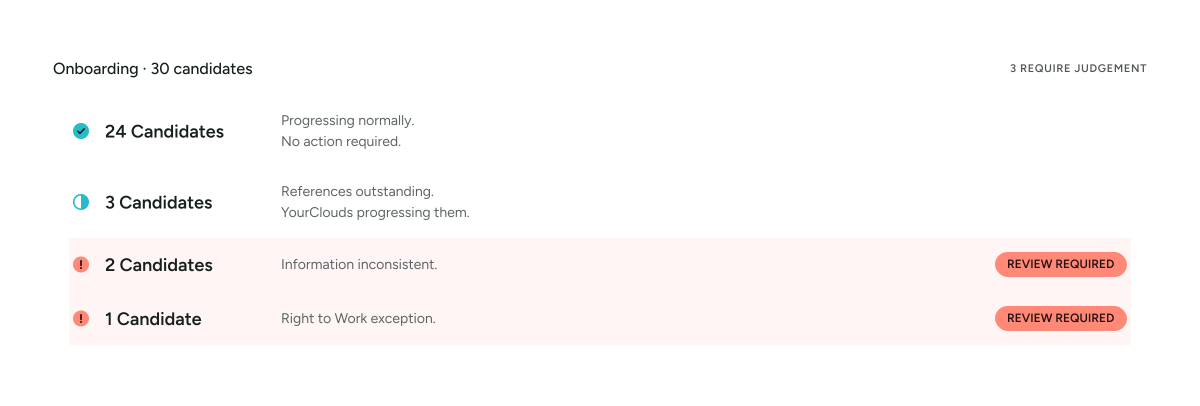
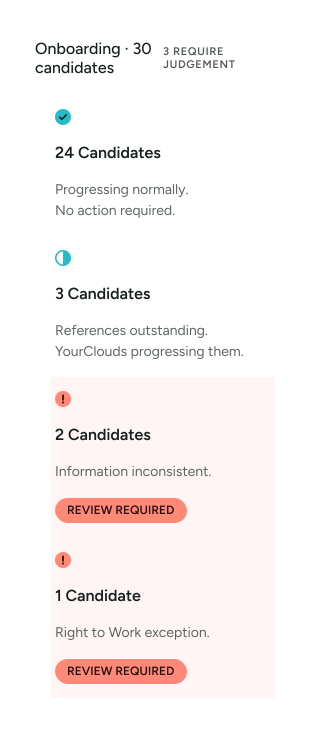
Your recruitment team can concentrate on the three candidates requiring judgement rather than manually chasing all 30.
See the Whole Candidate at a Glance
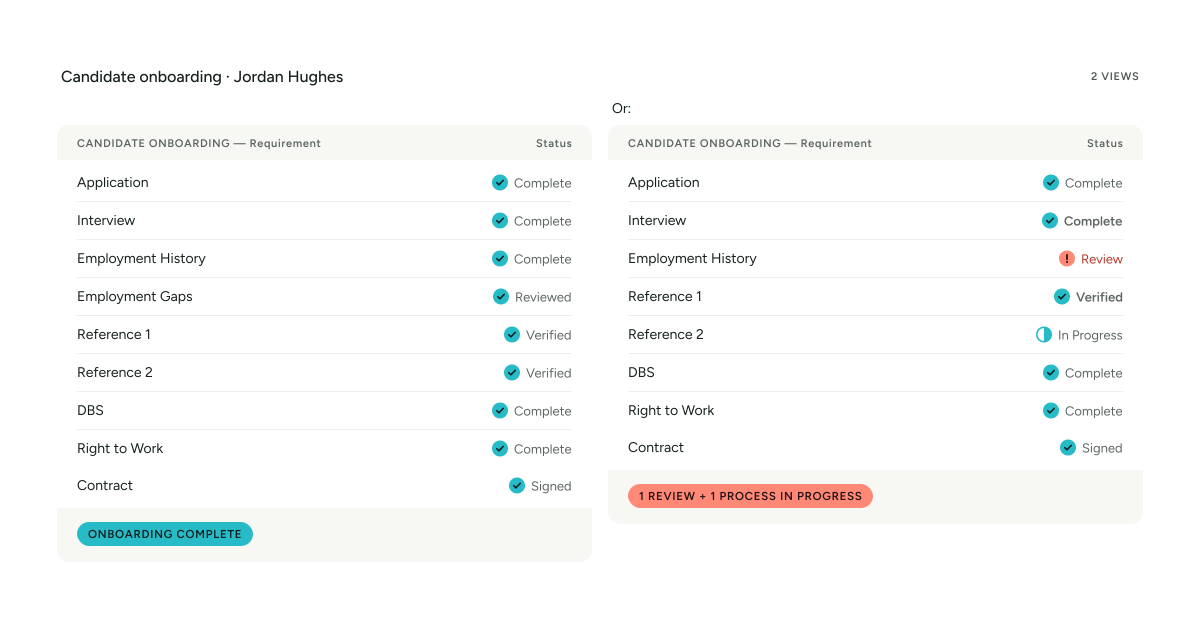
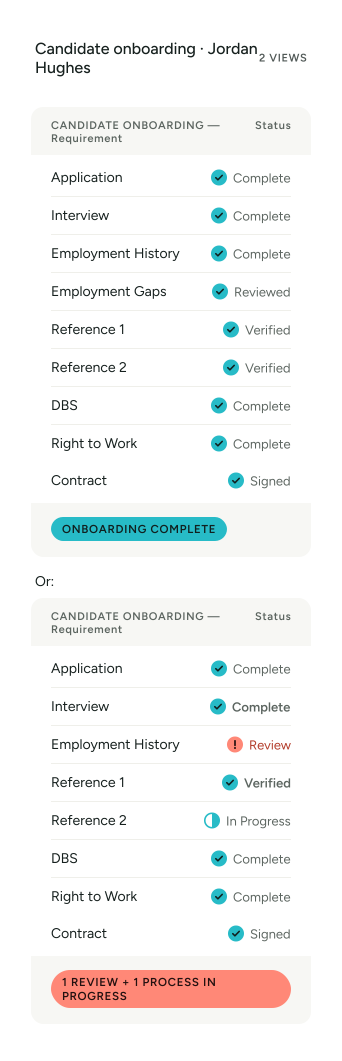
Software + AI + Managed Support
YourClouds brings together three elements.
SOFTWARE
Provides the recruitment workflow, candidate records, documents, status, permissions and audit trail.

AI & AUTOMATION
Helps communicate, chase, call, compare, monitor, identify and escalate.
MANAGED SUPPORT
Helps progress appropriate parts of the recruitment and onboarding process and supports exceptions requiring intervention.
Your organisation retains control of recruitment decisions.
Built specifically for safer recruitment in children’s residential care
Recruiting people to work with children requires more than collecting a CV and completing a standard employment check.
YourClouds helps providers maintain a structured recruitment and onboarding journey that can include employment history, gap checking, references, verification, DBS processes, Right to Work, contracts and candidate communication.
The organisation remains responsible for its recruitment decisions and for ensuring its safer-recruitment process meets the requirements applicable to the role and service.
Built for Children’s Residential Care
The service can support recruitment across roles including:
- Residential Childcare Workers
- Residential Support Workers
- Senior Residential Childcare Workers
- Team Leaders
- Deputy Managers
- Registered Managers
- Responsible Individuals
- Therapeutic staff
- Education staff
- Support staff
- Administrative staff
Different roles can follow different recruitment and onboarding workflows.
One Home or an Entire Group
YourClouds can support:
A Single Children’s Home
One location. One recruitment process. One candidate pipeline.
A Growing Provider
Multiple homes. Central recruitment. Local managers.
A Large Children’s Home Group
Multiple regions. Multiple recruitment teams. Central oversight. Local decision-making.
Configurable roles and permissions help determine who can see and manage different parts of the process.
Opening a New Children’s Home?
Recruiting an entire staff team for a new home can create a significant administrative workload.
You may need to recruit:
- Registered Manager
- Deputy Manager
- Team Leaders
- Senior Residential Childcare Workers
- Residential Childcare Workers
- Support staff
Instead of manually managing every onboarding journey, YourClouds can provide a structured process across the whole recruitment campaign.
One Connected Recruitment Record
The candidate record can bring together:
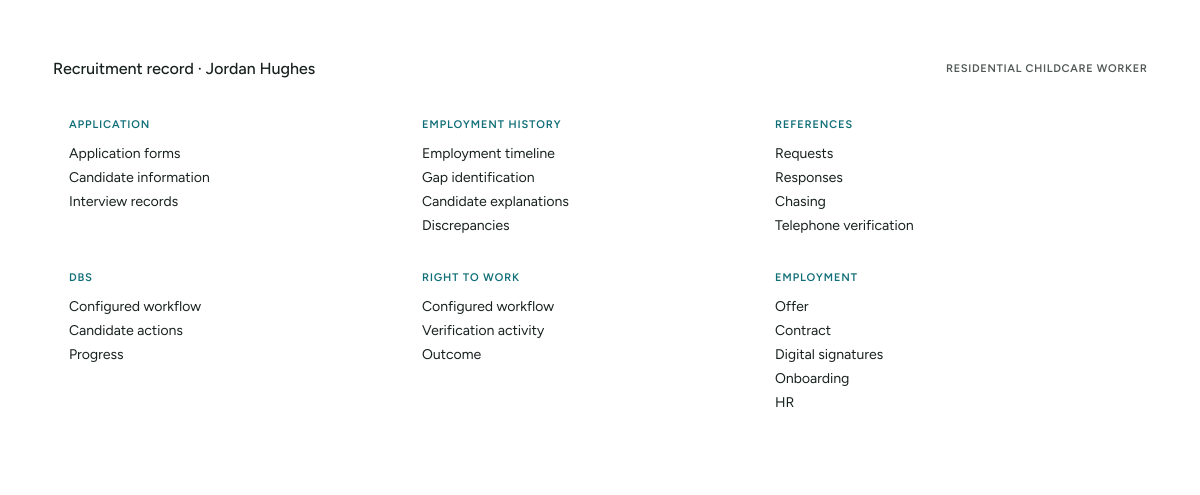
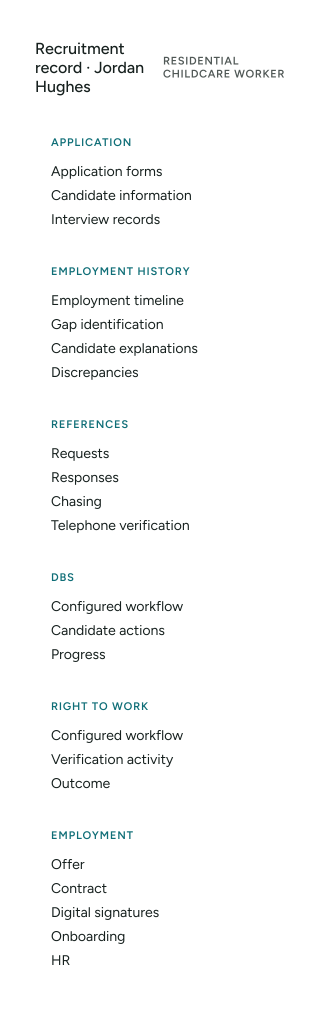
One candidate. One connected journey.
A Clear Recruitment Audit Trail
Depending on your configured recruitment process, the candidate record can retain relevant information including:
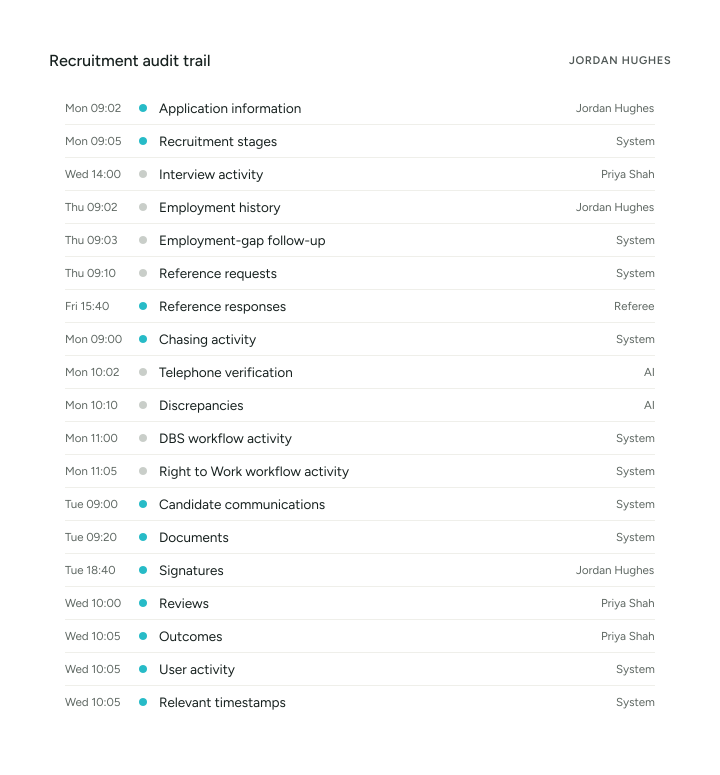
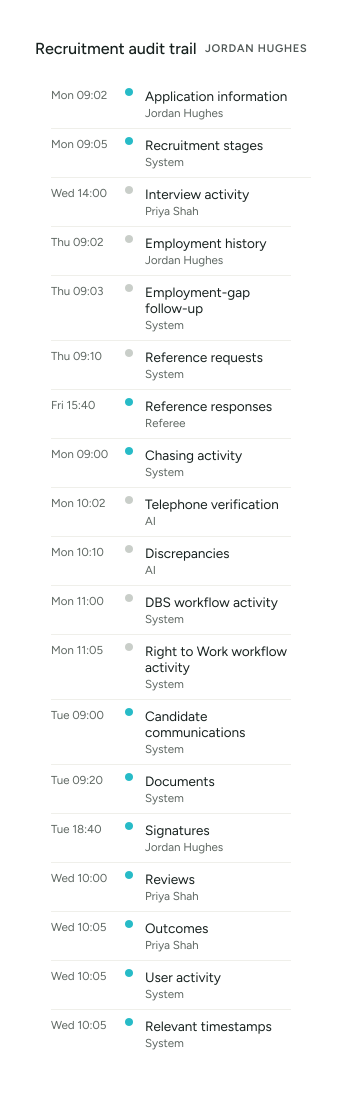
This provides a clearer record of the recruitment process if it later needs to be reviewed.
From Recruitment to HR
Once a successful candidate completes onboarding, their recruitment information can form part of a connected employee journey as YourClouds HR becomes available.
- Applicant
- Candidate
- Managed Onboarding
- Employee
This reduces the need to start again when recruitment finishes.
Ready for Recruitment Oversight
When a registered manager, senior leader or other authorised person needs to understand how someone was recruited, the information should be easy to follow.
Rather than reconstructing the process from:
- Emails.
- Spreadsheets.
- PDFs.
- Folders.
- Separate DBS systems.
- Separate reference systems.
The objective is to provide a structured candidate recruitment record showing the journey undertaken.
04Pricing
How Much Does It Cost?
The fee becomes payable when you decide to progress a candidate into the managed onboarding process.
You don’t pay £199 + VAT for every applicant.
You don’t pay £199 + VAT for every interview.
You pay when you decide to progress the candidate into managed onboarding.
£199 + VAT
per candidate entering managed onboarding
What Is Included?
The managed service can include:
- Employment-history checking
- Employment-gap identification
- Candidate follow-up
- Reference requests
- Reference chasing
- Telephone reference verification
- AI-assisted discrepancy identification
- DBS workflow management
- Right to Work workflow management
- Candidate communications
- Automated reminders
- Offer and contract management
- Digital signatures
- Exception escalation
- Recruitment audit trail
- Candidate onboarding record
- Transition into YourClouds HR – Coming Soon
£199 + VAT per candidate entering onboarding
Additional Charges
The £199 + VAT managed onboarding fee doesn’t include applicable third-party charges.
These may include:
- DBS application fees
- Right to Work verification fees
- Other third-party verification charges
These are charged separately where applicable.
What If the Candidate Doesn’t Start?
The £199 + VAT fee becomes payable when the candidate enters managed onboarding.
If the candidate subsequently:
- Withdraws
- Doesn’t complete onboarding
- Doesn’t satisfy your recruitment requirements
- Is not ultimately appointed
- Doesn’t start employment
the £199 + VAT fee remains payable because the managed onboarding service has already begun.
What Does £199 + VAT Replace?
Don’t compare £199 + VAT with doing nothing.
Compare it with what you’re already doing.
Your Current Process
- Manager time
- Recruitment administration
- Reference requests
- Reference chasing
- Telephone calls
- Employment-history checking
- Gap checking
- DBS administration
- Right to Work administration
- Candidate emails
- Contract administration
- Recruitment record keeping
Versus
YourClouds
£199 + VAT
per candidate entering managed onboarding
Software + AI + Managed Support
Plus applicable third-party fees.
Stop Paying Children’s Home Managers to Chase Recruitment Paperwork
Registered Managers and senior staff have more valuable things to do than repeatedly ask:
- “Has your referee replied?”
- “Can you explain this gap?”
- “Have you completed your DBS action?”
- “Can you send your Right to Work information?”
- “Have you signed your contract?”
Technology should help manage routine administration.
Your managers should concentrate on:
Selecting the right people. Reviewing exceptions. Making recruitment decisions.
Why Children’s Home Providers Choose YourClouds
One Connected Recruitment Journey
From vacancy to employee.
Managed Onboarding
We help progress the work rather than simply giving you another system.
£199 + VAT Per Candidate
Simple pricing from the point the candidate enters managed onboarding.
Reference Checking
Digital requests, chasing and verification workflows.
Telephone Verification
AI-powered, human or combined verification according to the configured process.
Employment History & Gap Checking
Build the timeline and identify periods requiring attention.
DBS Management
Manage the DBS workflow alongside the rest of recruitment.
Right to Work
Manage the appropriate verification workflow.
YourRole Candidate App
Give candidates one place to manage their journey.
AI & Automation
Reduce repetitive recruitment administration.
Exception Management
Direct your recruitment team towards the cases requiring judgement.
Multi-Home Management
Support central recruitment across multiple children’s homes.
Audit Trail
Maintain a clearer record of the recruitment journey.
HR Integration – Coming Soon
Once a successful candidate completes onboarding, their recruitment information can form part of a connected employee journey as YourClouds HR becomes available.
Connect recruitment with the wider operation of your children’s home
Recruitment should not become an isolated system.
Once a successful candidate completes onboarding, their journey can continue into the wider YourClouds ecosystem as additional workforce modules become available.
- Candidate
- Recruitment
- Safer Recruitment
- Onboarding
- Employee
- HR – Coming Soon
- Training – Coming Soon
- Rota – Coming Soon
05Questions
Frequently Asked Questions
How much does the service cost?
Managed safer recruitment and onboarding costs £199 + VAT per candidate entering onboarding.
DBS application fees, Right to Work verification fees and other applicable third-party charges are additional.
Do we pay £199 + VAT for every applicant?
No.
The £199 + VAT fee is triggered when you choose to progress the candidate into managed onboarding.
Do we pay for candidates we interview but don’t select?
Not under the £199 + VAT managed onboarding pricing simply because they were interviewed.
The fee applies when the candidate enters managed onboarding.
What happens if the candidate withdraws?
Once managed onboarding has begun, the £199 + VAT fee remains payable because the service has already started.
Does YourClouds obtain references?
Reference requests and configured chasing can form part of the managed onboarding service.
Are references telephone verified?
Where telephone verification forms part of the configured process, it can be undertaken using AI-powered calling, human verification or a combination of both.
Can you identify employment gaps?
YourClouds can help structure the candidate’s employment history and identify periods requiring further information.
Can you compare references with the candidate’s application?
Yes.
Information received during reference checking can be compared with information declared by the candidate to help identify potential discrepancies.
Does YourClouds decide whether a discrepancy is acceptable?
No.
YourClouds can identify and organise information requiring attention.
The recruiting organisation remains responsible for deciding what that information means and whether the candidate progresses.
Can you manage DBS checks?
DBS workflows can form part of managed onboarding.
Where appropriate, this can include an existing DBS/Update Service workflow or facilitating a new application.
DBS eligibility and the appropriate level and type of check depend on the role and applicable requirements.
DBS application fees are additional.
Can you manage Right to Work?
Yes.
Right to Work workflow management can form part of managed onboarding.
The appropriate checking route depends on the candidate’s circumstances and current requirements.
Applicable third-party verification fees are additional.
Can candidates sign contracts digitally?
Yes.
Offers and contracts can be incorporated into the digital onboarding journey, including electronic signatures.
Can candidates use an app?
Yes.
Candidates can use the YourRole app or desktop candidate portal.
Can we customise the recruitment process?
Yes.
Recruitment and onboarding workflows can be configured around your organisation and different roles.
Can different roles follow different processes?
Yes.
A Residential Childcare Worker, Deputy Manager and Registered Manager don’t have to follow identical recruitment workflows.
Can we use YourClouds across multiple children’s homes?
Yes.
YourClouds is designed for multi-location organisations with configurable roles and permissions.
Does YourClouds guarantee safer recruitment compliance?
No software or managed service should replace an organisation’s own legal, regulatory and safeguarding responsibilities.
YourClouds supports structured safer-recruitment processes, record keeping, workflow management and verification activity. Your organisation remains responsible for its recruitment decisions and for ensuring its processes meet the requirements applicable to the role and service.
You Choose the Candidate. We Help Get the Onboarding Done.
Children’s Home Safer Recruitment
- Employment History
- Employment Gaps
- References
- Telephone Verification
- DBS Workflow
- Right to Work
- Contracts
- Candidate Communications
£199 + VAT per candidate entering onboarding
DBS application fees, Right to Work verification fees and other applicable third-party charges are additional. Recruitment and safeguarding requirements depend on the role and applicable legislation, regulation and guidance. YourClouds supports the process; recruitment decisions remain with the recruiting organisation.