

Skip to content

Employment History Verification & Gap Checking

Stop manually rebuilding candidate employment histories.

YourClouds helps build the timeline, identify gaps, compare information, obtain explanations and flag discrepancies for review.

Checking employment history can become one of the most time-consuming parts of safer recruitment.

Candidates provide dates. References provide different dates. Job titles don’t match. Months are missing. Employment overlaps. Education periods appear between jobs. Explanations need obtaining. Evidence needs reviewing.

And somebody has to work out whether the candidate’s history actually makes sense.

YourClouds helps do the work.

Using recruitment software, AI automation, reference information and intelligent workflows, YourClouds can help organisations build and review candidate employment histories as part of one connected safer-recruitment process.

Build the timeline.

Find the gaps.

Identify discrepancies.

Get the explanation.

Review the exceptions.

01The problem

Employment History Checking Should Be More Than Asking About Gaps

A typical application form asks candidates to provide their employment history.

Someone then needs to review it.

Imagine a candidate declares:

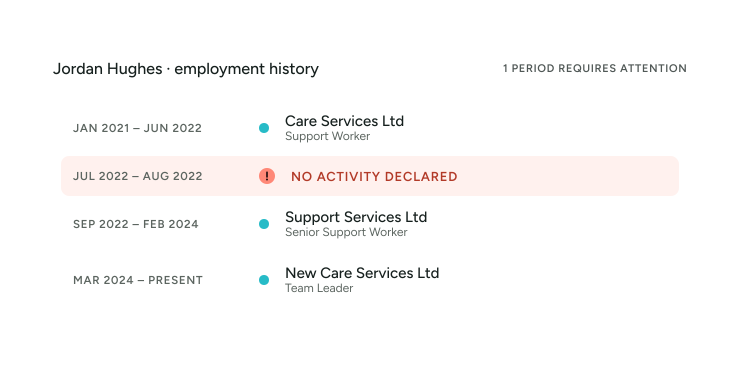
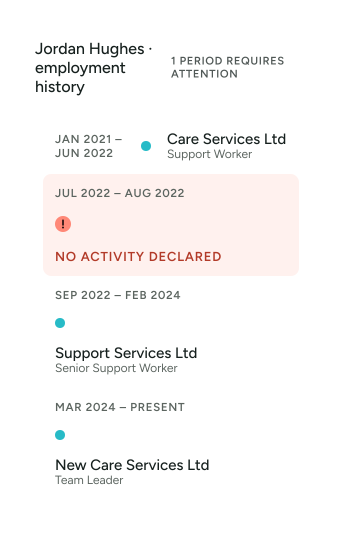
  • Care Services Ltd — January 2021 – June 2022
  • Support Services Ltd — September 2022 – February 2024
  • New Care Services Ltd — March 2024 – Present

Someone needs to notice:

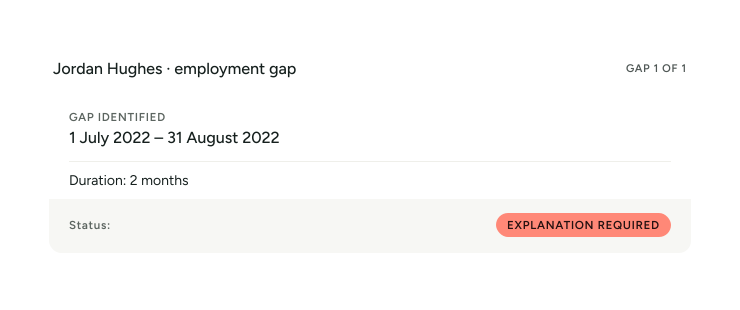
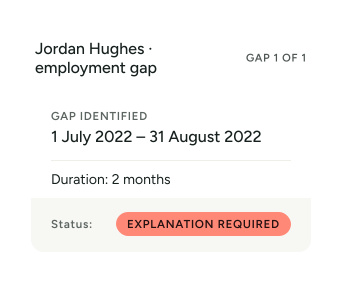
July 2022 – August 2022

2-MONTH GAP

Then someone needs to:

Contact the candidate. Ask what they were doing. Obtain an explanation. Request evidence where appropriate. Review the response. Record the outcome.

Then the references arrive.

And one employer says the candidate actually left in April 2022, not June.

The timeline has changed.

YourClouds is designed to help manage this process.

From Employment History to Verified Timeline

YourClouds can bring together information from different parts of the recruitment journey.

  1. Candidate Application
  2. Employment History
  3. Education History
  4. Reference Information
  5. Telephone Verification
  6. Dates Compared
  7. Gaps & Discrepancies Identified
  8. Candidate Follow-Up
  9. Evidence / Explanation
  10. Review & Outcome

Instead of treating employment-gap checking as a single question on an application form, YourClouds helps turn it into a structured workflow.

02How it works

  1. 1

    Capture the Candidate’s Full History

    Candidates can provide their history through the YourRole app or desktop candidate portal.

    Information can include:

    • Employer
    • Position
    • Start date
    • End date
    • Reason for leaving
    • Referee information
    • Education
    • Training
    • Other relevant periods
    • Explanations for periods outside employment

    The information becomes part of the candidate’s recruitment record.

  2. 2

    Build the Candidate Timeline

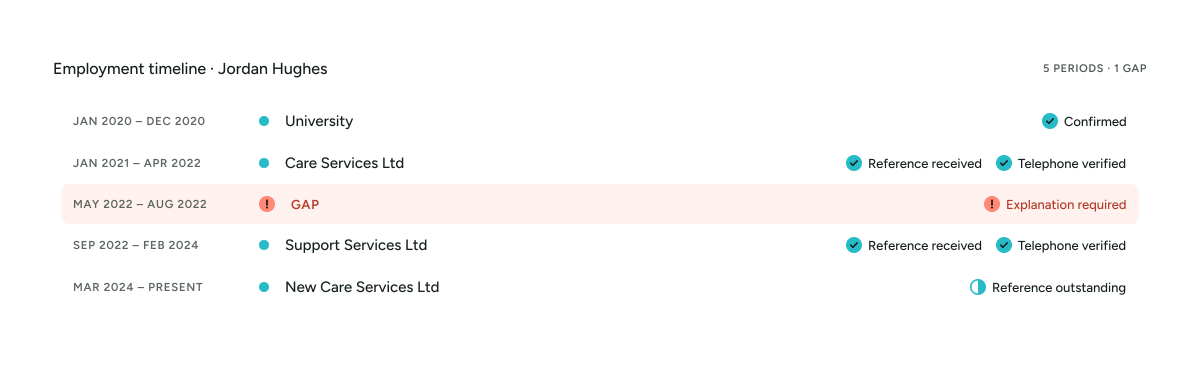
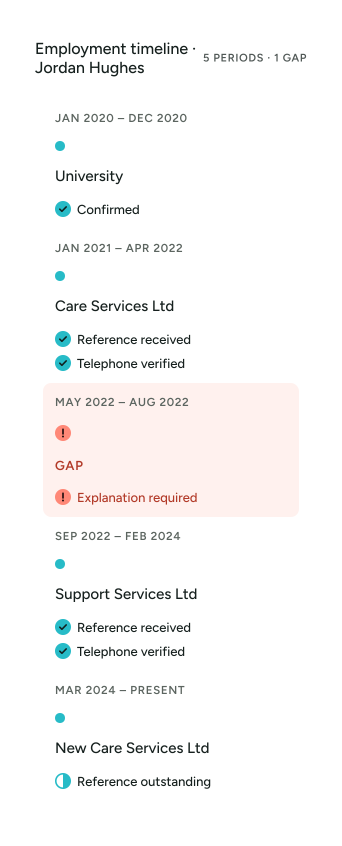
    YourClouds can structure the information chronologically.

    For example:

    Instead of expecting someone to manually compare dozens of dates, the system can help identify periods requiring attention.

  3. 3

    Automatically Identify Employment Gaps

    Where the declared chronology contains an unexplained period, YourClouds can flag it.

    The candidate can then be asked to provide further information.

  4. 4

    Ask the Candidate for an Explanation

    Once a gap has been identified, the workflow can request an explanation from the candidate.

    For example:

    “We have identified a period between 1 July 2022 and 31 August 2022 that isn’t currently accounted for in your employment or education history. Please provide details of what you were doing during this period.”

    The candidate can respond through the YourRole app or desktop portal.

    The explanation becomes part of the candidate record.

  5. 5

    Request Supporting Information Where Appropriate

    Not every gap requires the same response.

    Depending on your organisation’s recruitment process and the circumstances, further information or supporting evidence may be requested.

    The workflow can guide the candidate through the next required action.

    For example:

    GAP —
    July – August 2022
    CANDIDATE EXPLANATION —
    Travelling
    STATUS —
    Explanation received
    or:
    STATUS —
    Additional information required

    Your organisation determines what information is appropriate for the role and circumstances.

  6. 6

    Connect References to Employment History

    This is where YourClouds becomes much more powerful.

    Employment history shouldn’t be checked separately from references.

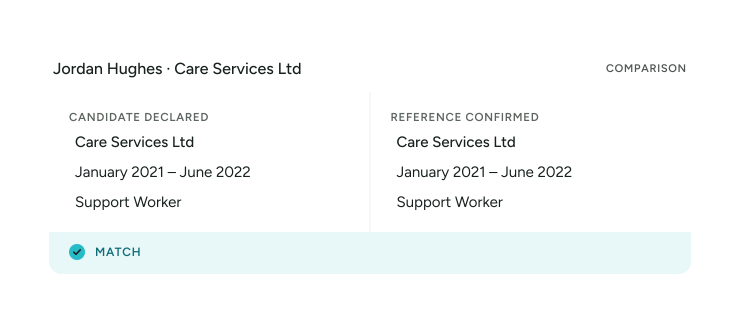
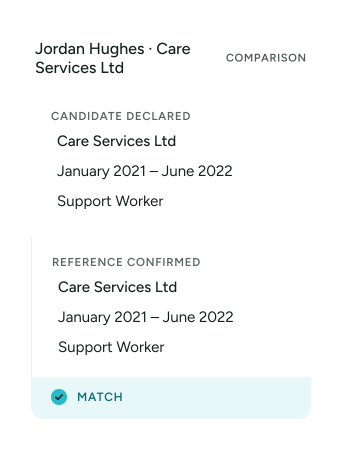
    When a reference is returned, the information can be compared with what the candidate originally declared.

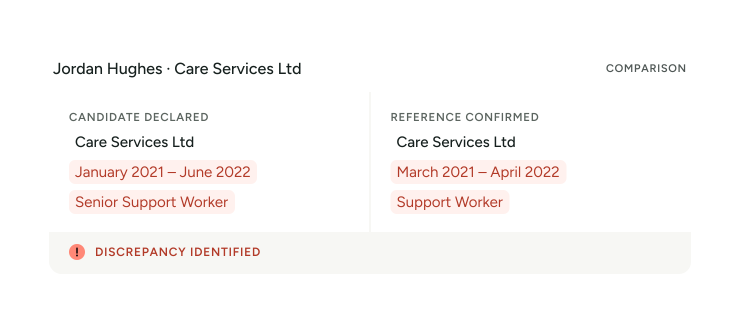
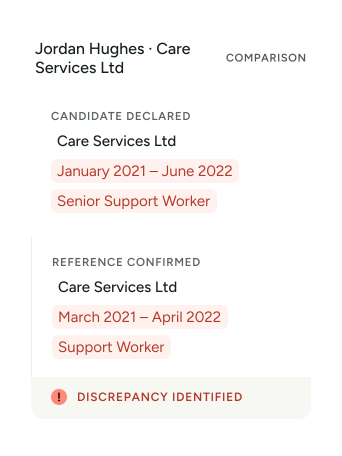
    For example:

    But consider:

    Now the issue isn’t simply an employment gap.

    The candidate’s declared history and information received from the referee are different.

    YourClouds can help identify that difference for review.

  7. 7

    Recalculate the Timeline

    Reference verification may change the candidate’s employment chronology.

    For example:

    The candidate declared:

    Care Services Ltd — January 2021 – June 2022

    But the reference confirms:

    Care Services Ltd — January 2021 – April 2022

    The system can now identify an additional period:

    May 2022 – August 2022

    4-MONTH PERIOD REQUIRING REVIEW

    Rather than relying solely on the dates originally entered by the candidate, the employment timeline can evolve as further information is obtained.

  8. 8

    Telephone Verification Adds Another Layer

    References can also be telephone verified through YourClouds.

    Depending on the configured workflow, telephone verification can be undertaken using:

    • AI-powered telephone verification
    • Human telephone verification
    • A combination of AI and human escalation

    Telephone verification can help confirm information such as:

    • Employment dates
    • Position held
    • Referee identity
    • Referee position
    • Organisation
    • Reason for leaving
    • Other configured information

    The resulting information can be connected back to the candidate’s employment timeline.

  9. 9

    Compare Multiple Sources

    A candidate’s employment history may contain information from several sources.

    YourClouds can help bring those sources together.

    SOURCE 1 —
    Candidate Application
    SOURCE 2 —
    Employment Reference
    SOURCE 3 —
    Telephone Verification
    SOURCE 4 —
    Candidate Gap Explanation
    SOURCE 5 —
    Supporting Information

    Rather than treating these as separate documents, the information can contribute to one connected candidate record.

03In YourClouds

AI-Assisted Employment History Checking

Let technology do the comparison.

AI can help analyse structured information across the recruitment journey.

It can help identify potential issues such as:

  • Missing periods
  • Overlapping employment
  • Different employment dates
  • Different job titles
  • Different employers
  • Inconsistent reasons for leaving
  • Unexplained periods
  • Reference information that doesn’t align with the application
  • Information requiring further review

AI identifies potential exceptions. Your recruitment team reviews them. Your organisation makes the decision.

More Than Gap Detection

A system that simply identifies blank months only solves part of the problem.

YourClouds can help identify several different types of exception.

Missing Period

No activity declared between two dates.

Date Discrepancy

Candidate and referee provide different employment dates.

Job Title Discrepancy

Candidate and referee provide different positions.

Overlapping Employment

Two declared activities cover the same period.

Reason for Leaving Discrepancy

Different information is provided by different sources.

Missing Reference

An employment period doesn’t have the required reference.

Unverified Employment

A declared employment period has not yet been sufficiently verified according to the configured workflow.

Explanation Required

The candidate needs to provide further information.

Review Required

The information requires an authorised person to assess it.

Manage Exceptions Instead of Reading Every Date

This changes the way recruitment teams can work.

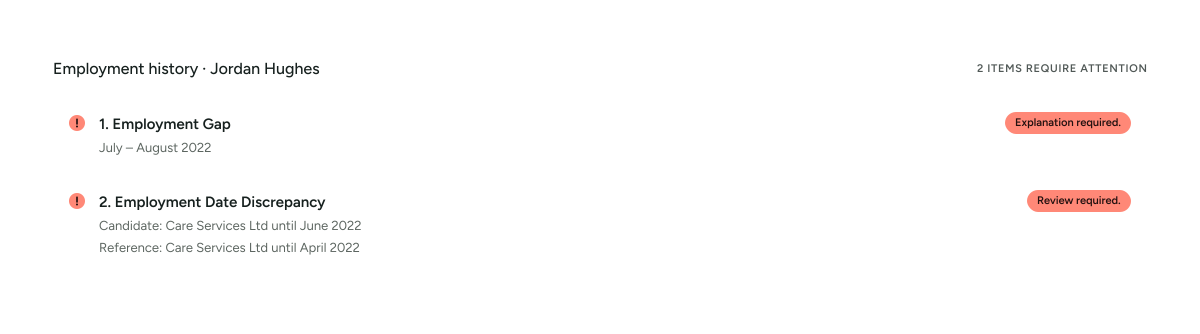
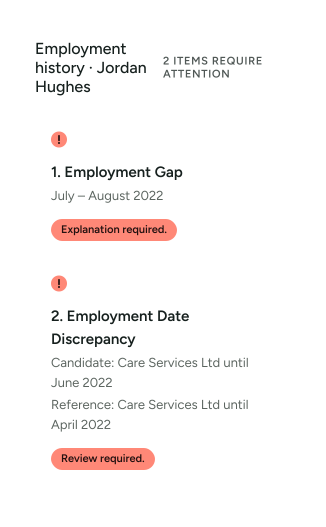
Instead of manually reviewing:

36 months of employment history

your recruitment team can see:

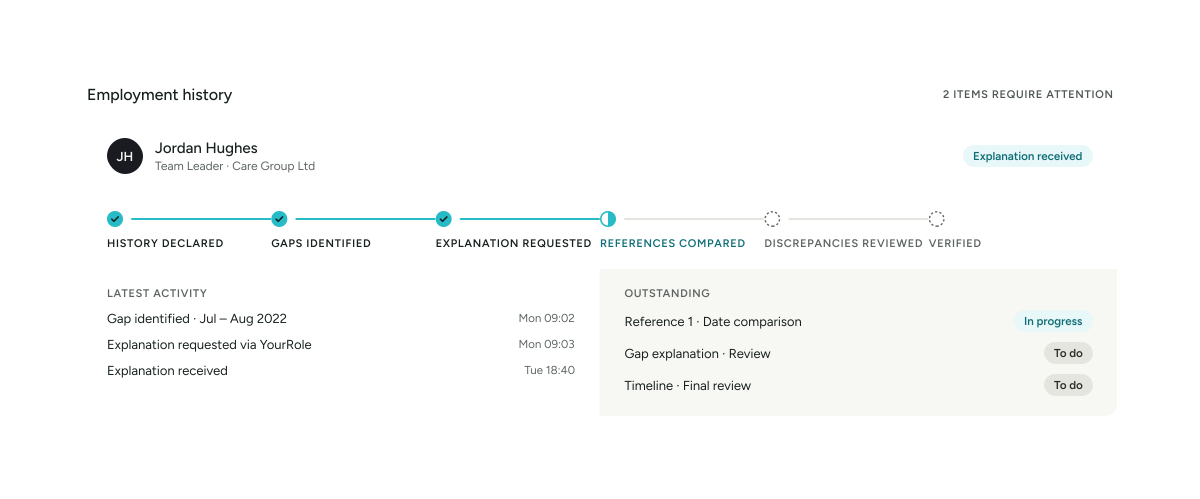
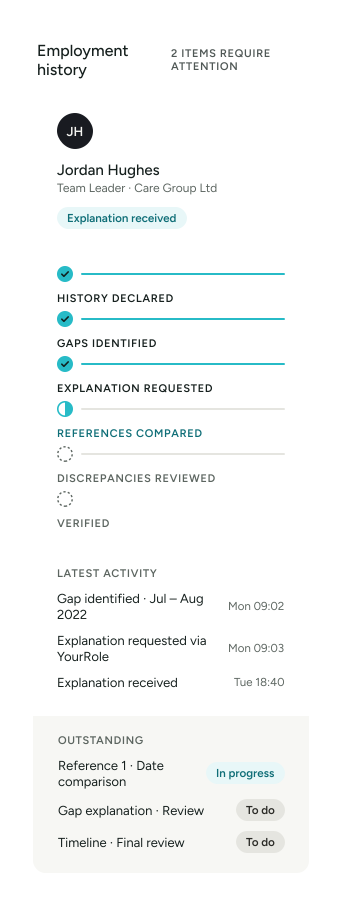
The recruitment team can concentrate on the exceptions.

A Candidate Employment Timeline at a Glance

A visual timeline could show:

Candidate Progress Updates Automatically

When additional information is received, the status can change.

For example:

BEFORE

May – August 2022

Gap identified

Candidate responds

“I was travelling overseas.”

AFTER

May – August 2022

Explanation received

Awaiting review

Once an authorised user reviews the information:

Reviewed

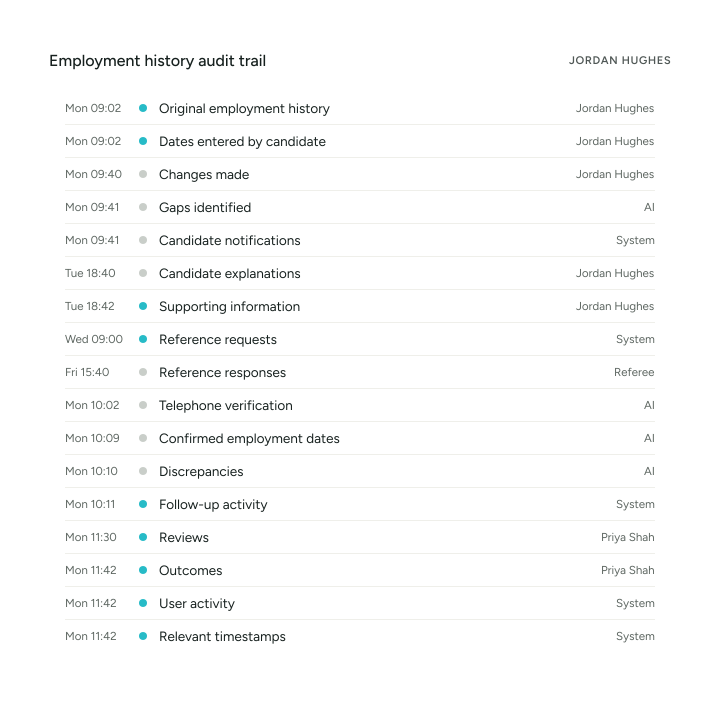
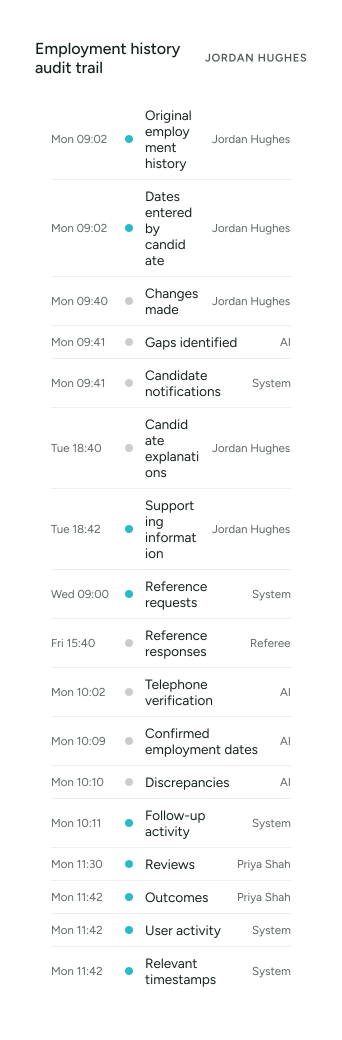
The audit trail records the process.

Candidate Communications

YourClouds can communicate with candidates through their recruitment journey.

Instead of HR repeatedly emailing:

  • “Can you explain this gap?”
  • “Can you provide more information?”
  • “Your previous answer is incomplete.”

The candidate can receive structured requests through the YourRole app or desktop portal.

Notifications can tell them when action is required.

YourRole

The YourRole Candidate App

Candidates can use the YourRole app to:

  • • Complete employment history
  • • Review outstanding actions
  • • Explain employment gaps
  • • Respond to questions
  • • Upload information
  • • Receive notifications
  • • Provide referee details
  • • Track onboarding progress
  • • Complete other recruitment actions

This keeps employment-history checking within the same candidate journey as the rest of onboarding.

Two YourRole app screens: DBS application stages and the candidate’s tasks and notifications

Intelligent Follow-Up

Where information remains outstanding, YourClouds can help progress the workflow.

For example:

  1. GAP IDENTIFIED
  2. Candidate notified
  3. No response
  4. Automated reminder
  5. Second reminder
  6. Escalation
  7. Recruitment team alerted

The objective is the same as with reference checking:

Don’t simply identify what’s outstanding. Help progress it.

Complete Employment History Audit Trail

YourClouds can maintain a record of the employment-history checking process.

Depending on your configured workflow, this can include:

This provides a clearer picture of how the employment history was reviewed.

Keep the Original Information

Where information changes during recruitment, maintaining an audit trail matters.

For example:

ORIGINAL APPLICATION —
Care Services Ltd, January 2021 – June 2022
REFERENCE RECEIVED —
January 2021 – April 2022
CANDIDATE CONTACTED —
Explanation requested
CANDIDATE RESPONSE —
Provided
REVIEW —
Completed by authorised user

Rather than simply overwriting the original date, the recruitment record can retain the history of what happened.

Employment History Checking by Sector

Kitchen and dining area in a children’s home

Employment History Checking for Children’s Homes

Children’s residential recruitment can involve detailed employment histories and safeguarding-sensitive recruitment processes.

YourClouds can help children’s home providers manage:

  • Employment histories
  • Gap identification
  • Reference checking
  • Telephone verification
  • Date comparisons
  • Candidate explanations
  • Discrepancy identification
  • Recruitment audit trails
Explore Safer Recruitment for Children’s Homes
Lounge with armchairs in a care home

Employment History Checking for Adult Social Care

Care organisations frequently recruit significant numbers of workers.

Manually reviewing employment histories across large candidate volumes can consume substantial recruitment and management time.

YourClouds can support:

  • Care homes
  • Nursing homes
  • Domiciliary care
  • Supported living
  • Mental health services
  • Learning disability services
  • Community care
  • Other adult social care services
Explore Safer Recruitment for Adult Social Care
Primary school classroom with tables and chairs

Employment History Checking for Schools & Education

Schools and education providers can use YourClouds to help structure employment-history and gap checking within their safer-recruitment workflows.

This can be particularly useful across Multi-Academy Trusts where consistent recruitment processes are required across multiple schools.

Explore Safer Recruitment for Schools & Education
Clinical treatment room with an examination couch

Employment History Checking for Healthcare

Healthcare organisations can use configurable employment-history workflows across clinical, care, support, administrative and operational positions.

Central recruitment teams can monitor exceptions across multiple candidates and locations.

Explore Safer Recruitment for Healthcare

One Connected Safer Recruitment Journey

Employment-history checking shouldn’t exist as an isolated process.

With YourClouds:

  1. Application
  2. Employment History
  3. Gap Detection
  4. References
  5. Telephone Verification
  6. History Reconciliation
  7. Candidate Follow-Up
  8. Review
  9. DBS
  10. Right to Work
  11. Contracts
  12. Onboarding
  13. HR – Coming Soon

Each stage contributes to the wider candidate record.

Reference Checking + Employment History Checking

These processes are particularly powerful when connected.

YourClouds can:

1.
Capture the candidate’s declared employment history.
2.
Identify initial gaps.
3.
Request references.
4.
Chase outstanding references.
5.
Telephone verify references.
6.
Compare confirmed dates with declared dates.
7.
Recalculate the employment timeline.
8.
Identify new gaps or discrepancies.
9.
Ask the candidate for explanations.
10.
Present exceptions for review.

Instead of manually moving information between systems, the process remains connected.

04Pricing

From Gap Checking to Managed Onboarding

Employment-history checking is only one part of the complete onboarding process.

YourClouds can help manage the wider safer-recruitment journey for:

£199 + VAT

per candidate entering onboarding

The managed onboarding service can include:

  • Employment-history checking
  • Employment-gap identification
  • Candidate follow-up
  • Reference requests
  • Automated reference chasing
  • Telephone reference verification
  • AI-assisted discrepancy identification
  • Right to Work workflow management
  • DBS workflow management
  • Offer and contract management
  • Digital signatures
  • Candidate communications
  • AI-assisted administration
  • Escalation of exceptions
  • Structured recruitment records

DBS application fees, Right to Work verification fees and other applicable third-party charges are additional.

What Does Manual Employment History Checking Cost?

Think about the current process.

Someone reads the application. Someone compares the dates. Someone notices the gap. Someone emails the candidate. Someone waits. Someone chases them. Someone receives the explanation. Someone records it.

Then a reference arrives with different dates.

Someone compares everything again.

Now multiply that across:

  • 10 candidates.
  • 100 candidates.
  • 1,000 candidates.

YourClouds is designed to automate the repetitive work and direct your team towards the exceptions.

Don’t Ask Your Recruitment Team to Find the Needle. Show Them Where to Look.

Instead of:

“Please review this candidate’s entire employment history.”

YourClouds can help move towards:

“These two items require your attention.”

That is the principle behind the wider YourClouds safer-recruitment model.

Automate routine administration. Progress outstanding actions. Identify exceptions. Escalate where appropriate. Keep recruitment decisions with your organisation.

Why Use YourClouds for Employment History Checking?

  • Automatic Gap Identification

    Help identify unexplained periods within the candidate’s chronology.

  • Employment Timeline

    Present employment and other relevant periods in a clearer chronological format.

  • Candidate Follow-Up

    Request explanations directly through the candidate journey.

  • Automated Chasing

    Help progress outstanding explanations and information.

  • Reference Integration

    Connect employment references with the employment history they relate to.

  • Telephone Verification

    Use verified reference information to help confirm employment history.

  • AI-Assisted Comparison

    Compare information from different sources and identify potential inconsistencies.

  • Dynamic Timeline

    Update the chronology as further information becomes available.

  • Exception Management

    Direct recruitment teams towards information requiring attention.

  • Audit Trail

    Maintain evidence of what was declared, identified, requested, received and reviewed.

  • Connected Onboarding

    Make employment-history checking part of the wider recruitment and onboarding journey.

05Questions

Frequently Asked Questions

What is employment history checking?

Employment history checking involves reviewing information provided by a candidate about previous employment and, where appropriate, comparing it with other information obtained during recruitment.

The appropriate process depends on the role, organisation, sector and applicable requirements.

What is an employment gap?

An employment gap is a period within a candidate’s chronology that isn’t currently accounted for by employment or other declared activity.

Whether a particular period requires explanation or further evidence depends on the organisation’s recruitment process and applicable requirements.

Can YourClouds automatically identify employment gaps?

YourClouds can analyse the dates within a candidate’s declared history and help identify periods that appear to require further information.

Does YourClouds automatically contact candidates about gaps?

Configured workflows can notify candidates and request further information through their recruitment journey.

Automated reminders can also help progress outstanding actions.

Can candidates explain gaps through the YourRole app?

Yes.

Candidates can complete recruitment and onboarding actions through the YourRole app or desktop candidate portal.

Can YourClouds compare references with the application form?

Yes.

Information obtained through references can be compared with information declared by the candidate, helping identify potential differences requiring review.

What happens if employment dates don’t match?

A discrepancy can be flagged for further review or follow-up according to the configured recruitment workflow.

YourClouds helps identify and organise the information; the recruiting organisation determines what action to take.

Does AI decide whether an employment gap is acceptable?

No.

AI can help identify gaps, compare information and flag potential discrepancies.

The recruiting organisation remains responsible for assessing the information and making recruitment decisions.

Can references be telephone verified?

Yes.

Telephone verification can form part of the configured reference workflow and can use AI-powered verification, human verification or a combination of both.

Does the employment timeline change when a reference is received?

Where additional information indicates different employment dates, YourClouds can use that information within the review process and identify potential new gaps or discrepancies.

Can different roles have different gap-checking requirements?

Yes.

Recruitment workflows can be configured around different roles, organisations and recruitment requirements.

Does YourClouds keep an audit trail?

The recruitment record can retain relevant activity, information, changes, communications, verification and review history according to the configured workflow.

Is employment history checking part of the £199 + VAT managed onboarding service?

Yes.

Employment-history checking, gap identification and candidate follow-up can form part of the managed safer-recruitment and onboarding service.

The service costs £199 + VAT per candidate entering onboarding.

DBS application fees, Right to Work verification fees and other applicable third-party charges are additional.

Stop Manually Rebuilding Employment Histories.

Build the timeline.

Find the gaps.

Compare the references.

Identify discrepancies.

Get the explanation.

Review the exceptions.

Managed Safer Recruitment & Onboarding

£199 + VAT per candidate entering onboarding

Employment-history and safer-recruitment requirements vary according to the role, organisation, sector and applicable legislation, regulation and guidance. YourClouds supports the recruitment process and helps identify information requiring attention. Recruitment decisions remain with the recruiting organisation.